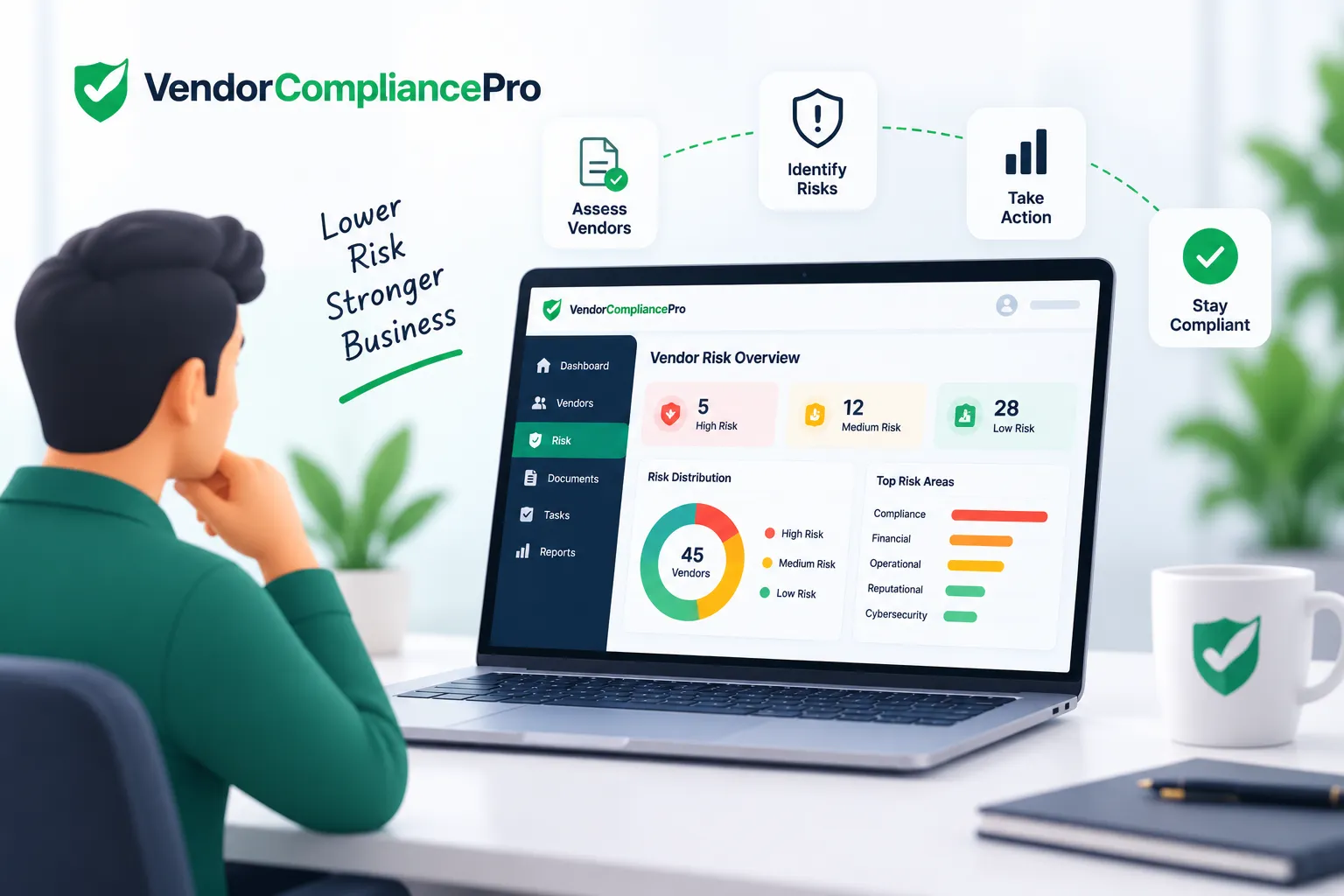
Vendor Risk Management Software: Features, Benefits & Buyer’s Guide
Every vendor relationship carries some level of risk.
A supplier may handle sensitive information, provide critical services, operate at an important facility, process payments, or support a business process that cannot easily be interrupted. As supplier networks grow, procurement and risk teams need a consistent way to identify, assess, monitor, and manage those risks.
Vendor Risk Management Software provides a structured way to manage supplier risk throughout the vendor lifecycle.
Instead of relying on spreadsheets, email, and disconnected assessments, organizations can use a centralized workflow to collect vendor information, assess risk, assign risk levels, track remediation, and monitor changes over time.
This guide explains what vendor risk management software is, how it works, the features to evaluate, its benefits, common challenges, and how vendor risk management connects with onboarding, compliance, and vendor master data.
What Is Vendor Risk Management Software?
Vendor Risk Management Software is a digital solution used to identify, assess, monitor, and manage risks associated with vendors and suppliers.
A typical vendor risk management process can include:
- Vendor identification
- Initial risk classification
- Risk assessment
- Evidence and document collection
- Risk scoring
- Internal review
- Risk treatment or remediation
- Approval
- Ongoing monitoring
- Periodic reassessment
The exact process depends on the organization’s risk framework, vendor categories, industry, and business requirements.
Why Companies Need Vendor Risk Management Software
Managing supplier risk manually can become difficult as the number of vendors increases.
Common challenges include:
- Inconsistent vendor assessments
- Risk information stored in spreadsheets
- Missing assessment responses
- Difficulty identifying high-risk vendors
- Manual follow-ups
- No centralized remediation tracking
- Outdated risk information
- Limited visibility across departments
- Difficulty preparing evidence for audits
- No consistent reassessment process
A structured software workflow can make vendor risk information easier to collect, review, monitor, and report.
How Vendor Risk Management Software Works
A typical workflow looks like this:
Vendor Identification → Risk Classification → Assessment → Evidence Collection → Risk Scoring → Review → Remediation → Approval → Ongoing Monitoring
Step 1: Identify the Vendor
The organization establishes which vendors require risk assessment.
Not every vendor necessarily requires the same level of review.
Step 2: Classify Vendor Risk
Organizations can classify vendors using factors such as:
- Business criticality
- Access to sensitive information
- Access to facilities
- Type of service
- Geographic location
- Spend
- Regulatory requirements
- Dependency on the vendor
- Data processing activities
This can help determine the level of assessment required.
Step 3: Conduct the Risk Assessment
The vendor may be asked to provide information through a questionnaire or structured assessment.
Questions can cover areas such as:
- Information security
- Business continuity
- Data protection
- Financial stability
- Insurance
- Regulatory compliance
- Operational controls
- Subcontractors
- Service continuity
Assessment requirements should be appropriate to the vendor’s risk profile.
Step 4: Collect Supporting Evidence
The organization may request supporting documents or evidence.
Examples can include:
- Insurance certificates
- Certifications
- Policies
- Business continuity documentation
- Compliance records
- Security documentation
- Financial information
The exact evidence depends on the organization’s requirements.
Step 5: Calculate or Assign Risk
The collected information can be evaluated using the organization’s risk methodology.
Risk may be categorized as:
- Low
- Medium
- High
- Critical
The scoring methodology should be defined by the organization rather than relying blindly on a software default.
Step 6: Review and Approve
Higher-risk vendors may require additional review by procurement, compliance, information security, legal, finance, or business stakeholders.
Step 7: Track Remediation
If a vendor has identified gaps, the organization can create remediation actions.
Examples include:
- Missing documentation
- Expired certification
- Incomplete questionnaire
- Control gap
- Insurance issue
- Business continuity concern
Each action should have an owner and appropriate target date.
Step 8: Monitor the Vendor
Vendor risk can change after onboarding.
Organizations may need to monitor:
- Risk status
- Compliance status
- Document expiry
- Assessment results
- Material changes
- Performance
- Remediation actions
Step 9: Reassess Periodically
Higher-risk vendors may require more frequent reassessment than lower-risk suppliers.
The review frequency should match the organization’s risk policy.
Key Features of Vendor Risk Management Software
When evaluating a solution, consider the following capabilities.
Vendor Risk Classification
The system should help organizations categorize vendors according to defined risk criteria.
Risk Assessment Questionnaires
Configurable questionnaires allow organizations to collect information relevant to different vendor types.
Risk Scoring
The software may support configurable scoring models based on the organization’s methodology.
Evidence Collection
Vendors can provide supporting documents or evidence as part of an assessment.
Automated Follow-Ups
Automated reminders can help vendors complete assessments and submit outstanding information.
Risk Dashboards
Dashboards can help teams identify:
- High-risk vendors
- Overdue assessments
- Open remediation actions
- Expiring evidence
- Vendors requiring reassessment
Remediation Management
The system should make it possible to record risk issues, assign owners, track actions, and monitor completion.
Vendor Self-Service
A vendor portal can allow suppliers to complete assessments and submit evidence directly.
Approval Workflows
Different risk levels may require different approval paths.
Audit Trail
Important assessment, review, approval, and remediation activities should be recorded.
Reporting
Reporting can help management understand the overall vendor risk profile and outstanding issues.
Integration
The solution should fit into the organization’s vendor onboarding, procurement, ERP, compliance, and other systems where required.
Vendor Risk Management Software vs Spreadsheets
Spreadsheets can be useful for simple processes, but they become harder to manage as vendor volumes and risk requirements grow.
| Area | Spreadsheet-Based Process | Vendor Risk Management Software |
|---|---|---|
| Risk assessment | Manual | Structured workflow |
| Risk scoring | Manual formulas | Configurable scoring |
| Vendor follow-up | Manual | Automated notifications |
| Remediation | Separate tracking | Integrated workflow |
| Risk visibility | Spreadsheet reports | Dashboards |
| Audit history | Manual | Centralized |
| Vendor self-service | Limited | Often available |
| Reassessment | Manual | Scheduled workflow |
| Reporting | Manual | System-generated |
Software does not replace the organization’s risk methodology. It provides a more structured way to apply and manage that methodology.
Benefits of Vendor Risk Management Software
Centralized Risk Information
Teams can maintain vendor risk information in a central system rather than scattered spreadsheets and emails.
Consistent Assessments
Standardized workflows can help ensure vendors are assessed according to defined requirements.
Better Visibility
Dashboards and reports can make it easier to identify higher-risk vendors and overdue activities.
Reduced Manual Administration
Automated reminders and workflows can reduce repetitive follow-up work.
Better Remediation Tracking
Risk issues can be assigned and tracked until they are resolved or accepted according to organizational policy.
Improved Audit Readiness
A centralized history of assessments, evidence, reviews, approvals, and remediation can make audits easier to support.
More Proactive Risk Management
Ongoing monitoring and reassessment can help organizations identify changes after initial vendor approval.
Risk-Based Vendor Management
Not every vendor presents the same level of risk.
A risk-based approach means that organizations can apply different requirements depending on vendor characteristics.
For example:
| Vendor Risk | Example Approach |
|---|---|
| Low | Basic information and standard checks |
| Medium | Additional documentation and assessment |
| High | Detailed assessment, evidence, and approval |
| Critical | Enhanced due diligence and ongoing monitoring |
The categories and requirements should be defined according to the organization’s own risk framework.
Vendor Risk Management for Different Industries
Vendor risk requirements vary by industry.
Manufacturing
Manufacturers may need to assess suppliers based on operational criticality, quality, insurance, compliance, business continuity, and other supplier-specific factors.
Logistics
Logistics providers may need to evaluate service continuity, insurance, licensing, operational dependency, and other relevant risks.
Hospitality
Hospitality organizations may manage risks associated with food suppliers, maintenance providers, contractors, technology vendors, and other service providers.
Food Processing and Food Service
Food-related organizations may evaluate suppliers using requirements relevant to food safety, certifications, regulatory documentation, insurance, and operational continuity.
Construction and Facilities Management
These organizations may assess contractors and service providers based on insurance, licenses, safety requirements, certifications, operational risk, and other criteria.
The exact assessment requirements should be based on the organization’s policies and applicable requirements.
Vendor Risk Management and Vendor Compliance
Vendor risk and vendor compliance are related but are not identical.
Vendor compliance focuses on whether a vendor has met defined requirements.
Vendor risk management evaluates the potential impact and likelihood of risks associated with the vendor.
For example:
A vendor may have all required insurance documents and certifications but still be considered high risk because the vendor provides a business-critical service.
Conversely, a vendor may have a minor compliance issue that does not make the overall vendor relationship high risk.
A mature vendor management program can use both compliance and risk information.
Vendor Risk Management and Vendor Onboarding
Risk assessment is often performed during vendor onboarding.
A typical process can be:
Vendor Registration → Information Collection → Risk Classification → Risk Assessment → Compliance Review → Approval → Vendor Activation
Risk requirements can also continue after activation through periodic reassessment and monitoring.
Vendor Risk Management and Vendor Master Data
Vendor risk management relies on accurate vendor information.
Useful vendor master data can include:
- Legal entity
- Vendor category
- Business unit
- Location
- Services provided
- Criticality
- Vendor status
- Primary contacts
Connecting vendor master data with risk information can help organizations understand which vendor records are associated with higher-risk relationships.
Common Vendor Risk Management Mistakes
Treating Every Vendor the Same
Applying identical requirements to every supplier can create unnecessary work for low-risk vendors while failing to provide enough scrutiny for critical suppliers.
Using a One-Time Assessment
Vendor risk can change. An assessment performed during onboarding may become outdated.
No Clear Risk Methodology
Risk scoring should be based on a defined methodology rather than arbitrary ratings.
Failing to Track Remediation
Identifying a risk without assigning and tracking corrective action does not resolve the underlying issue.
Relying Entirely on Spreadsheets
Spreadsheets can become difficult to maintain when multiple departments and large numbers of vendors are involved.
Not Connecting Risk and Compliance
Compliance information can be an important input into vendor risk decisions.
No Ownership
Every assessment, review, and remediation action should have a clear owner.
How to Choose Vendor Risk Management Software
Before evaluating vendors, document your current risk process.
Consider:
- How many vendors require risk assessment?
- Which vendors are considered critical?
- What risk categories do we assess?
- What information do vendors need to provide?
- Which documents are required?
- How is risk scored?
- Who reviews high-risk vendors?
- How are remediation actions tracked?
- How often are vendors reassessed?
- What reports does management need?
- Do vendors need self-service access?
- Does risk information need to connect with compliance and vendor master data?
- What integrations are required?
Then compare solutions against your actual requirements.
Vendor Risk Management Software Buying Checklist
Look for:
- Vendor risk classification
- Configurable questionnaires
- Risk scoring
- Evidence collection
- Vendor self-service
- Automated reminders
- Risk dashboards
- Remediation tracking
- Approval workflows
- Periodic reassessment
- Audit trail
- Reporting
- Role-based access
- Vendor compliance integration
- Vendor master data integration
- ERP/procurement integration
Vendor Risk Management Software and Automation
Automation can reduce repetitive work across the vendor risk lifecycle.
Examples include:
- Assessment invitations
- Reminder notifications
- Risk reassessment schedules
- Evidence requests
- Approval routing
- Remediation reminders
- Compliance alerts
- Management reporting
Automation should support a well-defined risk process rather than replace sound risk governance.
How VendorCompliancePro Supports Vendor Risk Management
VendorCompliancePro is designed to help organizations manage vendor information, documents, compliance requirements, and vendor-related workflows.
Organizations can use the platform to support activities such as:
- Vendor onboarding
- Vendor information collection
- Vendor document collection
- Compliance monitoring
- Document expiry tracking
- Automated reminders
- Vendor risk-related workflows
- Vendor self-service
- Vendor status visibility
- Audit history
VendorCompliancePro can complement an existing ERP or procurement system rather than requiring organizations to replace those systems.
For organizations that want to connect vendor onboarding, vendor documentation, compliance, and risk-related processes, the platform can provide a structured workflow across the vendor lifecycle.
Frequently Asked Questions
What is vendor risk management software?
Vendor risk management software is a digital solution used to assess, monitor, and manage risks associated with suppliers and third-party vendors.
What are the main features of vendor risk management software?
Common capabilities include vendor classification, risk questionnaires, risk scoring, evidence collection, remediation tracking, automated reminders, dashboards, approvals, monitoring, and audit trails.
How does vendor risk management software help procurement teams?
It can standardize vendor assessments, improve visibility into supplier risk, reduce manual follow-ups, and provide a central record of risk-related activities.
How often should vendors be reassessed?
There is no universal frequency. Reassessment should be based on the organization’s risk framework, vendor criticality, industry requirements, and changes in the vendor relationship.
What is the difference between vendor risk and vendor compliance?
Vendor compliance evaluates whether defined requirements have been met. Vendor risk management evaluates the potential risks associated with the vendor relationship. The two can provide complementary information.
Can vendors complete risk assessments themselves?
Many solutions provide vendor self-service capabilities that allow suppliers to complete questionnaires and submit supporting evidence.
Does vendor risk management software replace an ERP?
Not necessarily. It can complement an ERP or procurement system by managing risk assessments, evidence, workflows, remediation, and monitoring.
What should I look for when buying vendor risk management software?
Evaluate risk classification, assessment workflows, configurable scoring, evidence collection, remediation tracking, automation, reporting, integrations, access controls, and the ability to connect risk with compliance and vendor master data.
Conclusion
Vendor risk management becomes increasingly important as organizations depend on larger and more complex supplier networks.
The right software can help organizations standardize risk assessments, identify higher-risk vendors, collect supporting evidence, track remediation, automate follow-ups, and maintain visibility throughout the vendor lifecycle.
When selecting a solution, focus on how well it supports your actual risk methodology and vendor management process rather than simply choosing the product with the largest feature list.
For organizations looking to connect vendor risk with vendor onboarding, vendor documents, compliance monitoring, and vendor master data, VendorCompliancePro provides a structured approach to managing these related activities.