Vendor Onboarding Software: Features, Benefits & Buyer’s Guide
Vendor onboarding is the process of collecting, validating, approving, and activating a new supplier before the supplier can begin doing business with an organization.
As supplier networks grow, managing onboarding through spreadsheets, email attachments, shared folders, and manual approvals can become difficult. Procurement teams may spend significant time following up with vendors, checking documents, coordinating approvals, and updating vendor records.
Vendor onboarding software provides a structured digital workflow for managing these activities in one place.
This guide explains what vendor onboarding software is, how it works, the features to look for, its benefits, common implementation challenges, and how to evaluate a solution for your organization.
What Is Vendor Onboarding Software?
Vendor onboarding software is a digital solution that helps organizations manage the process of registering, evaluating, approving, and activating vendors.
Instead of relying on disconnected emails, spreadsheets, and manual follow-ups, the organization can use a structured workflow to collect vendor information and documents, validate submissions, route approvals, and track onboarding status.
A typical workflow may include:
- Vendor invitation or registration
- Vendor information collection
- Document collection
- Data and document validation
- Compliance checks
- Risk assessment
- Internal approval
- Vendor master creation or update
- Vendor activation
- Ongoing compliance monitoring
The exact workflow depends on the organization’s procurement, compliance, finance, and risk requirements.
Why Companies Need Vendor Onboarding Software
Manual vendor onboarding can create several operational problems.
Common challenges include:
- Vendor information arriving in different formats
- Missing registration information
- Missing or expired compliance documents
- Repeated email follow-ups
- Slow approval cycles
- Limited visibility into onboarding status
- Duplicate vendor records
- Difficulty maintaining an audit trail
- Inconsistent onboarding procedures
- Delays between approval and vendor activation
Vendor onboarding software can provide a consistent process and make the status of each vendor easier to track.
How Vendor Onboarding Software Works
A typical digital onboarding workflow looks like this:
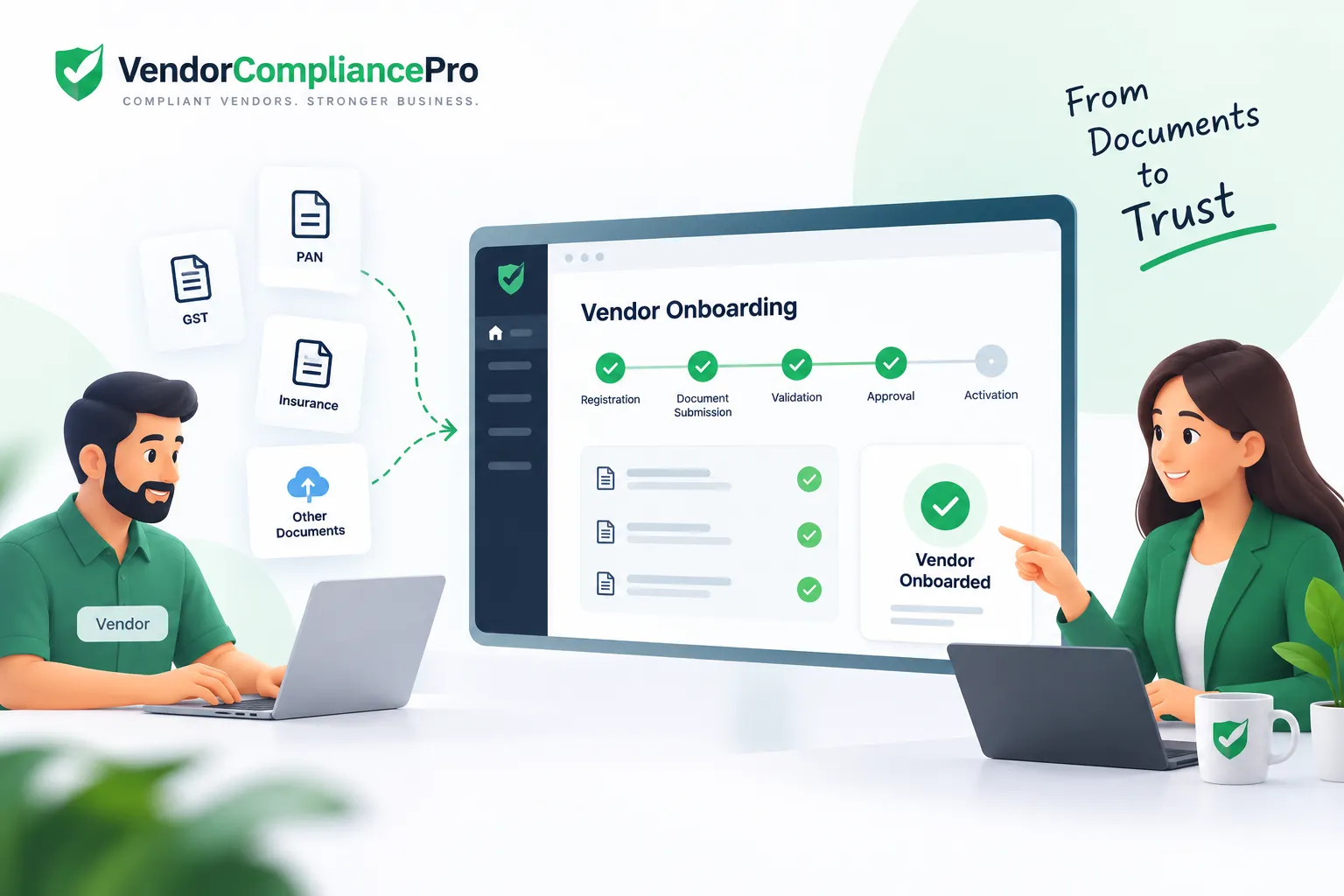
Vendor Invitation → Vendor Registration → Information Collection → Document Collection → Validation → Compliance & Risk Review → Approval → Vendor Master Creation → Activation
Step 1: Vendor Registration
The organization sends the vendor an invitation or registration link.
The vendor provides basic business information such as:
- Legal business name
- Business address
- Contact information
- Tax and registration details
- Products or services
- Primary contacts
Step 2: Information Collection
The onboarding workflow collects the information required by the organization.
Required fields can vary based on vendor type, industry, geography, and risk level.
Step 3: Document Collection
The vendor uploads the documents required for onboarding.
Examples may include:
- Business registration documents
- Tax certificates
- Insurance certificates
- Licenses
- Certifications
- Bank documents
- Compliance documents
The organization can define which documents are mandatory for different vendor categories.
Step 4: Validation
Submitted information and documents can be reviewed before the vendor moves to the next stage.
Validation may include checking:
- Required fields
- Document completeness
- Document dates
- Vendor information consistency
- Required approvals
- Duplicate vendor indicators
Step 5: Compliance and Risk Review
Depending on the organization’s process, the vendor may undergo compliance and risk assessment.
This can include:
- Compliance document review
- Vendor risk classification
- Insurance verification
- Industry-specific requirements
- Internal risk checks
Higher-risk vendors may require additional review.
Step 6: Approval
Once the required information and documents are available, the onboarding request can be routed to the appropriate approvers.
Approval rules may depend on factors such as:
- Vendor category
- Spend level
- Risk level
- Business unit
- Location
- Service type
Step 7: Vendor Master Creation
After approval, the organization can create or update the vendor record in its ERP, procurement system, or vendor master.
This helps separate the onboarding process from the final vendor master record.
Step 8: Vendor Activation
Once all required steps are complete, the vendor can be activated according to the organization’s internal policy.
Key Features of Vendor Onboarding Software
When evaluating vendor onboarding software, consider the following capabilities.
Vendor Registration
The solution should provide a structured way for vendors to submit their business information.
Vendor Portal or Self-Service
A vendor portal can allow suppliers to enter information, upload documents, respond to requests, and track their onboarding progress without relying entirely on email.
Document Collection
The software should support centralized collection of required vendor documents.
Document Validation
Look for capabilities that help identify missing, incomplete, invalid, or outdated documents.
Compliance Management
The onboarding workflow should be able to capture the compliance information required for the vendor.
Risk Assessment
Organizations may need different onboarding requirements based on vendor risk or criticality.
Approval Workflows
Approval workflows help ensure that the right people review and approve a vendor before activation.
Automated Reminders
Automated reminders can reduce manual follow-up when vendors have not completed required tasks or documents.
Vendor Status Tracking
Procurement teams should be able to see where each vendor is in the onboarding process.
Typical statuses may include:
- Invited
- Registration in progress
- Documents pending
- Under review
- Pending approval
- Approved
- Rejected
- Active
Audit Trail
A useful onboarding system should maintain a record of important submissions, reviews, approvals, and changes.
Integration
The solution should fit into the organization’s existing technology environment, including ERP and procurement systems where required.
Manual Vendor Onboarding vs Vendor Onboarding Software
| Area | Manual Process | Vendor Onboarding Software |
|---|---|---|
| Registration | Email/forms | Structured workflow |
| Document collection | Email/shared folders | Centralized collection |
| Follow-ups | Manual | Automated reminders |
| Approval | Email/manual routing | Workflow-based |
| Status tracking | Spreadsheet | Central dashboard |
| Audit trail | Scattered records | Centralized history |
| Duplicate detection | Often manual | Can be rule-based |
| Compliance tracking | Manual | Structured |
| Vendor self-service | Limited | Vendor portal |
| Reporting | Manual | System-generated |
Software does not automatically solve every onboarding problem. The workflow, required information, approval rules, and governance processes still need to be designed properly.
Benefits of Vendor Onboarding Software
Faster Vendor Onboarding
A standardized workflow can reduce unnecessary back-and-forth and make outstanding tasks easier to identify.
Better Data Quality
Structured forms and validation rules can improve the completeness and consistency of vendor information.
Better Compliance Visibility
Centralized document and compliance information makes it easier to identify missing or expiring requirements.
Less Administrative Work
Automated notifications and workflows can reduce repetitive procurement administration.
Better Approval Control
Organizations can define approval steps instead of relying on informal email approvals.
Improved Vendor Experience
A clear registration and document submission process can make onboarding easier for suppliers.
Better Audit Readiness
A centralized history of submissions, reviews, approvals, and changes can make audits easier to support.
Improved Vendor Master Data
Collecting validated information before vendor activation can improve the quality of downstream vendor records.
Vendor Onboarding Software for Different Industries
Vendor onboarding requirements vary by industry.
Manufacturing
Manufacturers may need to manage supplier compliance documents, insurance, certifications, tax information, risk, and operational requirements.
Logistics
Logistics organizations may need to collect licenses, insurance, vehicle or service-related documentation, and other compliance information depending on the supplier.
Hospitality
Hotels and hospitality groups may onboard vendors for food, facilities, maintenance, housekeeping, technology, and other services.
Food Processing and Food Service
Food-related businesses may require supplier certifications, insurance, regulatory documentation, and other food-safety-related information.
Construction and Facilities Management
These organizations may require insurance, licenses, safety documents, certifications, and subcontractor information.
The exact requirements should always be defined by the organization’s policies and applicable regulations.
How to Choose Vendor Onboarding Software
Before selecting a solution, document your current onboarding process.
Ask:
- How many vendors do we onboard each month?
- How much time does onboarding take?
- Which documents are mandatory?
- How are vendors currently followed up?
- How many approval stages are required?
- How is vendor risk assessed?
- Where is vendor information stored?
- How are duplicate vendors identified?
- How are expired documents tracked?
- Do vendors need self-service access?
- What ERP or procurement systems need integration?
- What audit information must be retained?
Then compare vendors against these requirements.
Vendor Onboarding Software Buying Checklist
Use this checklist when evaluating a solution:
- Vendor registration forms
- Configurable onboarding workflows
- Vendor portal or self-service
- Document collection
- Document validation
- Compliance tracking
- Risk assessment
- Approval workflows
- Automated reminders
- Vendor status tracking
- Duplicate vendor controls
- Audit trail
- Reporting and dashboards
- ERP/procurement integration
- Role-based access
- Configurable vendor requirements
Common Vendor Onboarding Mistakes
Collecting Too Much Information
Requiring every vendor to provide the same information can make onboarding unnecessarily difficult.
Use risk- and vendor-type-based requirements where appropriate.
Relying Entirely on Email
Email can make it difficult to know which information is complete, which documents are missing, and who needs to act next.
No Clear Ownership
Every onboarding stage should have a defined owner.
No Follow-Up Process
Vendors may start registration but fail to complete the remaining requirements.
Automated reminders can help reduce this problem.
Creating the Vendor Record Too Early
Creating an active vendor record before required validation and approval can introduce data-quality and compliance risks.
Ignoring Duplicate Vendors
Duplicate vendor records can affect procurement reporting, payments, spend analysis, and vendor risk visibility.
Vendor Onboarding Software and Vendor Compliance
Vendor onboarding is often the beginning of the vendor compliance lifecycle.
During onboarding, organizations can collect and verify the documents and information needed to establish the vendor.
After activation, organizations may still need to:
- Track document expiry
- Send renewal reminders
- Monitor compliance status
- Request updated documents
- Reassess vendor risk
- Maintain audit records
Therefore, organizations should consider how onboarding connects with ongoing vendor compliance management.
Vendor Onboarding Software and Vendor Master Data
Vendor onboarding and vendor master data management are closely related but serve different purposes.
Vendor onboarding focuses on bringing a new vendor into the organization.
Vendor master data management focuses on maintaining accurate vendor information throughout the vendor lifecycle.
A well-designed process can connect the two:
Vendor Registration → Validation → Approval → Vendor Master Creation → Ongoing Vendor Master Management
This helps prevent incomplete or unvalidated information from entering downstream systems.
How VendorCompliancePro Supports Vendor Onboarding
VendorCompliancePro is designed to help organizations manage vendor information, documents, compliance requirements, and follow-ups through a structured workflow.
Organizations can use the platform to support activities such as:
- Vendor registration
- Vendor information collection
- Vendor document collection
- Compliance document tracking
- Document expiry monitoring
- Automated reminders
- Vendor compliance visibility
- Vendor onboarding workflows
- Vendor self-service
The platform can complement existing ERP or procurement systems rather than requiring organizations to replace them.
For organizations that need a structured way to manage vendor onboarding and ongoing compliance, VendorCompliancePro can provide a centralized workflow for these activities.
Frequently Asked Questions
What is vendor onboarding software?
Vendor onboarding software is a digital solution used to manage vendor registration, information collection, document submission, validation, approvals, and vendor activation.
What are the main features of vendor onboarding software?
Common features include vendor registration, vendor portals, document collection, compliance tracking, risk assessment, approval workflows, automated reminders, status tracking, reporting, and audit trails.
How does vendor onboarding software improve procurement?
It can standardize the onboarding process, reduce manual follow-ups, improve visibility, and help procurement teams collect more complete vendor information.
Can vendor onboarding software manage vendor documents?
Yes. Many vendor onboarding solutions support document collection and tracking. Organizations should evaluate whether the solution supports the specific document types, validation rules, expiry tracking, and workflows they require.
Does vendor onboarding software replace an ERP?
Not necessarily. Vendor onboarding software can complement an ERP by managing the registration, validation, document, compliance, and approval process before or alongside vendor master creation.
How long does vendor onboarding take?
The time varies by organization and vendor. Straightforward vendors may complete onboarding quickly, while higher-risk vendors or vendors with complex documentation requirements can take longer.
What is the difference between vendor onboarding and vendor registration?
Vendor registration is generally the collection of vendor information needed to begin the process. Vendor onboarding is broader and can include registration, document collection, validation, compliance checks, risk assessment, approvals, and activation.
Can vendor onboarding software send automated reminders?
Many solutions provide automated notifications and reminders for incomplete onboarding tasks or outstanding documents. The exact capabilities depend on the product.
Conclusion
Vendor onboarding software can help organizations replace fragmented manual onboarding activities with a structured and trackable process.
The most important capabilities to evaluate are vendor registration, information collection, document management, compliance checks, risk assessment, approval workflows, automated reminders, vendor self-service, audit trails, and integration.
The best solution is not necessarily the one with the largest feature list. It is the one that fits your vendor onboarding process, risk requirements, compliance needs, existing systems, and supplier experience.
For organizations looking to connect vendor onboarding with ongoing vendor compliance management, a platform such as VendorCompliancePro can provide a structured approach from vendor registration through ongoing compliance monitoring.