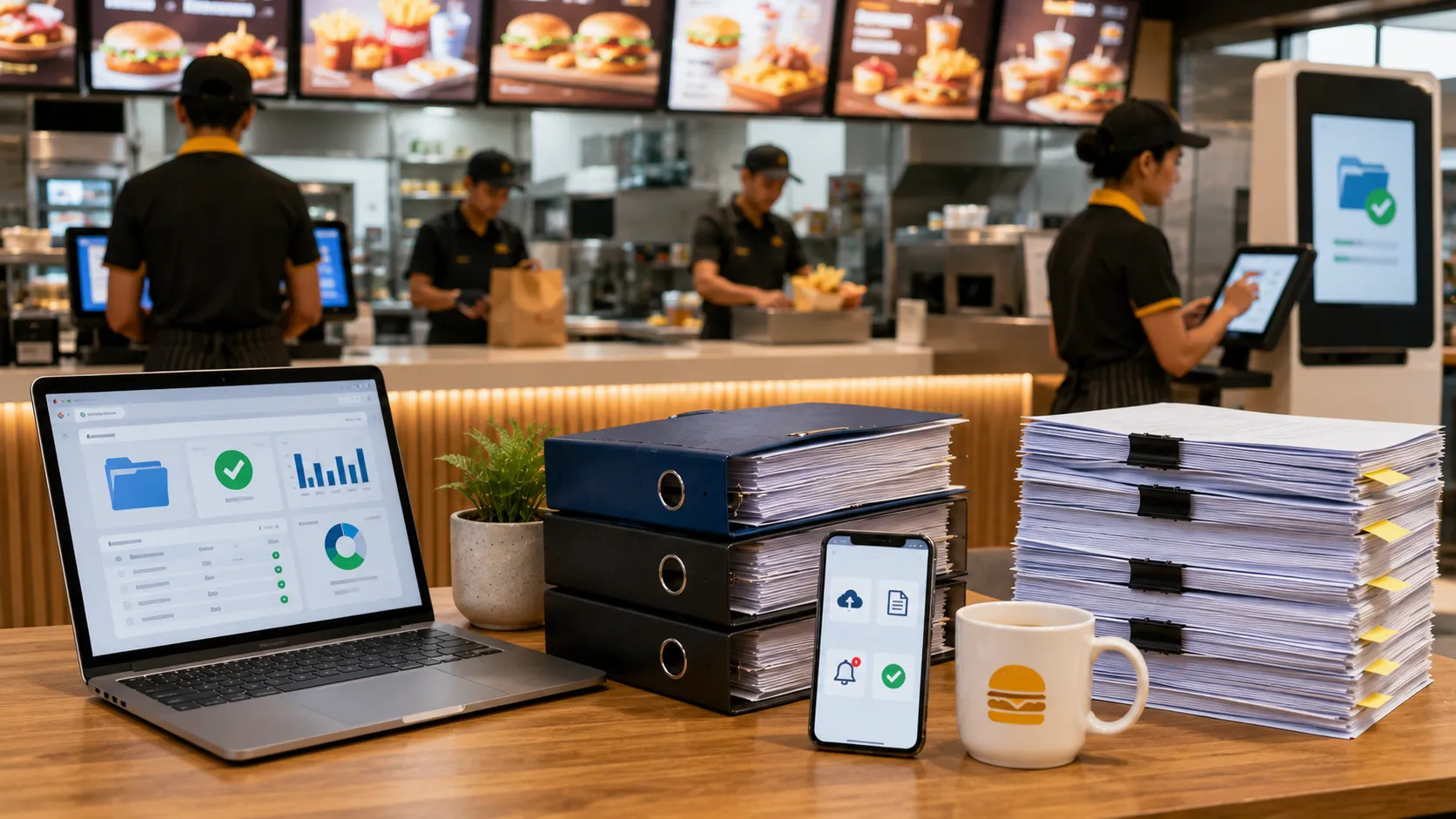
How QSRs Can Automate Vendor Document Management
Quick Service Restaurants (QSRs) operate very differently from a single independent restaurant.
A QSR chain may have:
- Dozens or hundreds of outlets
- Central procurement teams
- Regional operations teams
- Local suppliers
- National suppliers
- Food and beverage vendors
- Cleaning contractors
- Pest-control providers
- Maintenance vendors
- Security agencies
- Packaging suppliers
- Technology vendors
Every supplier can generate documents that need to be collected, reviewed, stored and monitored.
As the number of outlets and suppliers increases, manually managing these documents through spreadsheets, email and shared folders becomes increasingly difficult.
QSRs need to know:
- Which suppliers are approved
- Which documents are mandatory
- Which documents are missing
- Which documents are valid
- Which documents are expiring
- Which documents have expired
- Which outlets are affected
- Who needs to follow up
- Whether a renewal document has been reviewed
This is where vendor document automation can make a significant difference.
Important: This article focuses on vendor document-management automation. Exact food-safety, tax, labour, licensing and local requirements vary by business, supplier, location and applicable regulations. QSRs should confirm their specific requirements with their legal, food-safety, procurement, compliance and operations teams.
What Is Vendor Document Automation?
Vendor document automation means using software to reduce the manual work involved in managing supplier and contractor documents.
A typical automated workflow can look like:
Supplier Onboarding
       ↓
Supplier Category
       ↓
Required Documents
       ↓
Document Upload
       ↓
AI-Assisted Validation
       ↓
Human Review
       ↓
Approval
       ↓
Expiry Tracking
       ↓
Automated Reminders
       ↓
Renewal
       ↓
Compliance Reporting
Instead of employees manually checking spreadsheets and folders, the system manages much of the repetitive workflow.
The goal is not to remove human oversight.
The goal is to allow teams to focus on exceptions and decisions rather than repetitive administration.
Why QSRs Need Automation
QSR operations are highly dependent on consistency.
A supplier document process that works for five outlets may become difficult at 50 or 200 outlets.
For example:
50 Outlets
×
20 Suppliers
=
1,000 Supplier Relationships
If every supplier has several documents, the number of records can quickly become large.
Manual processes create several risks:
- Missed expiry dates
- Duplicate supplier records
- Outdated documents
- Missing documents
- Manual follow-ups
- Scattered files
- Inconsistent outlet-level processes
- Slow audit preparation
Automation helps standardize the process.
1. Create a Central Supplier Master
The first step is to maintain one reliable supplier record.
A supplier record can contain:
- Legal business name
- Supplier ID
- PAN
- GSTIN where applicable
- Contact information
- Supplier category
- Products or services
- Contract information
- Active locations
- Compliance status
For a QSR chain, this is especially important because the same supplier may serve multiple outlets.
For example:
ABC Foods
     │
     ├── Supplier Profile
     ├── Food-Safety Documents
     ├── GST/PAN
     ├── Quality Documents
     ├── Insurance
     └── Contract
           │
           ├── Outlet 1
           ├── Outlet 2
           ├── Outlet 3
           └── Outlet 4
One supplier record can therefore be associated with multiple locations.
2. Define Supplier Categories
Automation works best when supplier requirements are structured.
A QSR might use categories such as:
- Food Supplier
- Beverage Supplier
- Packaging Supplier
- Cleaning Vendor
- Pest-Control Vendor
- Security Vendor
- Maintenance Vendor
- Laundry Vendor
- Transportation Vendor
- Technology Vendor
- Facility-Management Vendor
Each category can have different document requirements.
3. Automatically Assign Required Documents
Once a supplier category is selected, the system can assign the relevant document checklist.
For example:
Food Supplier
Potential requirements:
- FSSAI documentation where applicable
- GST/PAN
- Product specifications
- Quality documents
- Testing reports where required
- Supplier declarations
Pest-Control Vendor
Potential requirements:
- Business documents
- Applicable licences or authorizations
- GST/PAN
- Insurance
- Service agreement
- Service reports
Maintenance Vendor
Potential requirements:
- GST/PAN
- Insurance
- Service agreement
- Technical certificates where applicable
- Safety documentation
- Service reports
The exact requirements should be configured according to the QSR’s own policy and applicable requirements.
This removes the need for procurement teams to manually send different checklists to every supplier.
4. Give Suppliers a Structured Submission Process
Instead of asking suppliers to email documents one by one, a QSR can provide a structured submission process.
For example:
Supplier Receives Request
        ↓
Opens Submission Page
        ↓
Sees Required Documents
        ↓
Uploads Documents
        ↓
Submits
        ↓
QSR Team Reviews
This makes it easier to identify:
- Submitted documents
- Missing documents
- Documents awaiting review
- Rejected documents
It also reduces the number of email attachments that procurement teams need to manage.
5. Use AI-Assisted Document Validation
One of the most useful automation opportunities is document validation.
A supplier may be asked to upload a specific document but accidentally upload the wrong file.
For example:
Expected:
FSSAI document
Uploaded:
Invoice PDF
A basic file-upload system may simply mark the requirement as completed.
An AI-assisted validation process can instead analyze the document and help determine whether it appears to be the expected document.
Possible checks include:
- Document type
- Supplier name
- Licence number
- Registration number
- Document number
- Issue date
- Expiry date
- Other relevant information
A simplified workflow is:
Document Uploaded
       ↓
OCR / Text Extraction
       ↓
Document Classification
       ↓
Information Extraction
       ↓
Validation Rules
       ↓
Validation Result
       ↓
Human Review
AI should support the review process rather than replace the final compliance decision.
6. Automatically Extract Expiry Dates
Many vendor documents contain dates that need monitoring.
Examples may include:
- Licences
- Certificates
- Insurance policies
- Contracts
- Permits
- Registrations
Instead of asking employees to manually read every document and enter the expiry date into Excel, an automated system can use OCR and document extraction to identify relevant dates.
For example:
Uploaded Certificate
       ↓
OCR
       ↓
Expiry Date Detected
       ↓
Date Stored
       ↓
Reminder Schedule Created
The extracted information should still be reviewed according to the QSR’s process.
7. Automate Expiry Reminders
Once expiry dates are stored, the system can automatically monitor them.
A QSR might configure:
60 Days Before
      ↓
First Reminder

30 Days Before
      ↓
Second Reminder

15 Days Before
      ↓
Escalation

Expiry Date
      ↓
Expired Status
The actual reminder schedule should be configurable.
Notifications can go to:
- Supplier
- Central procurement
- Regional procurement
- Outlet manager
- Food-safety team
- Compliance team
- Responsible vendor owner
This reduces the need for employees to maintain separate reminder calendars.
8. Automate Supplier Follow-Up
A common procurement problem is:
“We have already asked the supplier for this document.”
The problem is knowing whether the supplier actually responded.
Automation can create a follow-up workflow:
Document Missing
      ↓
Request Sent
      ↓
No Response
      ↓
Reminder
      ↓
Escalation
      ↓
Document Received
      ↓
Review
This makes supplier follow-up measurable.
9. Automatically Identify Missing Documents
A QSR should be able to see which suppliers are incomplete.
For example:
| Supplier | Category | Missing Document | Locations | Status |
|---|---|---|---|---|
| ABC Foods | Food Supplier | Quality Document | 12 | Action Required |
| Fresh Dairy | Dairy | Insurance | 8 | Action Required |
| CleanPro | Cleaning | Licence | 20 | Action Required |
| Metro HVAC | Maintenance | Certificate | 5 | Action Required |
Instead of searching through individual supplier folders, procurement can work from an exception list.
10. Track Supplier Status Automatically
A QSR can define internal supplier compliance statuses.
Compliant
All mandatory requirements are satisfied according to the QSR’s defined rules.
Attention Required
One or more documents are approaching expiry or require review.
Incomplete
Mandatory documents are missing.
Expired
One or more required documents have expired.
Under Review
Documents have been submitted but are awaiting review.
These statuses make it easier for management to understand supplier compliance at a glance.
11. Manage Multiple QSR Locations
Multi-location management is one of the biggest advantages of automation.
A supplier may serve:
Supplier
   ↓
Region
   ↓
Multiple Outlets
The system can associate suppliers with the relevant locations.
For example:
| Supplier | Category | Active Locations |
|---|---|---|
| ABC Foods | Food Supplier | 25 |
| Fresh Dairy | Dairy | 18 |
| CleanPro | Cleaning | 30 |
| Metro HVAC | Maintenance | 12 |
If a supplier’s important document expires, the QSR can immediately see which locations may be affected.
12. Separate Central and Local Requirements
Not every requirement needs to be identical across every outlet.
A QSR may have:
Central Requirements
- Supplier profile
- PAN
- GST information where applicable
- Master agreement
- Certain supplier certificates
Location-Specific Requirements
- Outlet-specific agreements
- Local service records
- Location-specific operational documentation
- Other requirements defined by the QSR
Automation allows these requirements to be configured separately.
13. Automate Document Review Workflows
Not every document should automatically become approved.
A better approach is:
Document Submitted
       ↓
AI-Assisted Validation
       ↓
Validation Result
       ↓
Human Review
       ↓
Approved / Rejected
The reviewer can see:
- Uploaded document
- Expected document type
- Extracted information
- Expiry date
- Validation result
- Supplier information
This can reduce review time while preserving human oversight.
14. Automatically Maintain an Audit Trail
A centralized platform can record events such as:
- Supplier created
- Document requested
- Document uploaded
- Validation performed
- Document approved
- Document rejected
- Reminder sent
- Expiry date updated
- Renewal submitted
- Supplier status changed
This creates a chronological record of the compliance process.
15. Create a QSR Vendor Compliance Dashboard
Automation becomes much more useful when management can see the results.
A dashboard can show:
Supplier Summary
- Total suppliers
- Active suppliers
- Pending suppliers
- Incomplete suppliers
Document Summary
- Total documents
- Missing documents
- Documents under review
- Expiring documents
- Expired documents
Location Summary
- Supplier compliance by outlet
- Expired documents by outlet
- Missing documents by outlet
Category Summary
- Food suppliers
- Packaging suppliers
- Cleaning vendors
- Pest-control vendors
- Security vendors
- Maintenance vendors
This allows management to focus on exceptions.
16. Automate Compliance Reports
A QSR may need regular reports for:
- Management reviews
- Procurement meetings
- Internal audits
- Supplier reviews
- Operational meetings
Reports can include:
- Supplier compliance summary
- Missing document report
- Expiry report
- Expired document report
- Vendor category report
- Location report
- Renewal activity
- Audit history
Instead of manually preparing these reports from Excel, a centralized system can generate them from current supplier data.
17. Reduce Spreadsheet Dependency
Excel remains useful for many business activities.
However, using Excel as the primary vendor compliance workflow can become difficult when the process involves:
- Hundreds of suppliers
- Thousands of documents
- Multiple locations
- Multiple users
- Automated reminders
- Document validation
- Approval workflows
- Audit trails
A QSR can still use Excel for:
- Spend analysis
- Budgeting
- Financial analysis
- Ad-hoc reporting
while using vendor compliance software for:
- Supplier documents
- Validation
- Expiry tracking
- Reminders
- Approvals
- Compliance reporting
Example: Automating a Food Supplier Workflow
Consider a QSR chain that works with a food supplier.
The supplier is categorized as:
Food Supplier
The system automatically assigns the configured requirements.
The supplier uploads the documents.
The workflow becomes:
Supplier Created
       ↓
Food Supplier Category
       ↓
Required Documents Assigned
       ↓
Supplier Uploads Documents
       ↓
AI-Assisted Validation
       ↓
Expiry Dates Extracted
       ↓
Human Review
       ↓
Supplier Approved
       ↓
Expiry Monitoring
       ↓
Automated Renewal Reminder
       ↓
Renewed Document Submitted
       ↓
Review
       ↓
Compliance Continues
The process is repeatable for every supplier.
Example: Automating a Pest-Control Vendor
A pest-control vendor may have:
- Business documents
- Applicable licences or authorizations
- GST/PAN
- Insurance
- Service agreement
- Service reports
The system can track both:
Expiry-based records
and
Periodic service records.
For example:
Insurance
    ↓
Expiry Date

Service Report
    ↓
Service Date

Next Service
    ↓
Reminder Date
This is more useful than treating every record as a simple expiry document.
Example: Automating Maintenance Vendor Compliance
A maintenance contractor may provide:
- Technical certificates
- Insurance
- Safety documentation
- Service reports
- Inspection records
- Agreement
The QSR can track:
- Document validity
- Service dates
- Inspection dates
- Renewal dates
- Review status
This creates a complete vendor record rather than simply storing PDFs.
How Much Manual Work Can Automation Remove?
The exact savings depend on the number of suppliers, documents and users.
Automation can reduce repetitive tasks such as:
- Sending the same document requests
- Checking expiry dates
- Sending routine reminders
- Searching for missing documents
- Identifying incomplete supplier records
- Manually extracting dates
- Preparing basic compliance reports
The goal is not necessarily to eliminate every manual task.
The goal is to move employees from:
Manual tracking
to:
Exception management and decision-making.
QSR Vendor Document Automation Checklist
Supplier Management
- Central supplier master
- Supplier category
- Supplier-to-location mapping
- Supplier owner
- Contract information
Document Management
- Category-specific requirements
- Central document repository
- Missing-document tracking
- Document version/history
- Supplier submission workflow
AI-Assisted Validation
- Document classification
- Supplier-name extraction
- Licence/registration extraction
- Date extraction
- Validation rules
- Human review
Expiry Management
- Expiry dates captured
- Automated reminders
- Escalation workflow
- Expired status
- Renewal tracking
Multi-Location Management
- Supplier-to-outlet mapping
- Central requirements
- Location-specific requirements
- Outlet-level compliance view
Reporting
- Supplier dashboard
- Missing-document report
- Expiry report
- Location report
- Category report
- Audit trail
How VendorCompliancePro Helps QSRs Automate Vendor Document Management
VendorCompliancePro is designed around the workflow:
Collect → Verify → Track → Remind → Report
For QSRs, the platform can help:
- Maintain a centralized supplier master
- Define supplier categories
- Assign category-specific document requirements
- Associate suppliers with multiple outlets
- Centralize supplier and contractor documents
- Validate uploaded documents using AI-assisted validation
- Extract relevant information from documents
- Track document expiry dates
- Track periodic service records
- Send automated reminders
- Identify missing and expired documents
- Manage document review and approval
- Maintain an audit trail
- Generate compliance reports
The objective is to create one consistent vendor document-management process across the QSR network.
Explore VendorCompliancePro for Restaurants & Food Service
Best Practices for QSR Vendor Document Automation
1. Start With the Supplier Master
Create one reliable record for each supplier.
2. Define Supplier Categories
Use categories to drive document requirements.
3. Automate Document Requests
Don’t rely entirely on manual email follow-ups.
4. Use AI as an Assistant
Use AI-assisted validation and OCR to reduce repetitive document checking.
5. Keep Human Review
Allow responsible users to approve or reject documents.
6. Automate Expiry Monitoring
Capture applicable dates and trigger reminders.
7. Map Suppliers to Locations
Know which outlets are affected by each supplier.
8. Separate Expiry and Service Dates
Not every record has a traditional expiry date.
9. Focus on Exceptions
Use dashboards to identify missing, expired and pending documents.
10. Maintain an Audit Trail
Record important document and workflow events.
Frequently Asked Questions
What is vendor document automation for QSRs?
Vendor document automation is the use of software to automate repetitive tasks involved in collecting, validating, storing, tracking and renewing supplier and contractor documents.
Why do QSR chains need vendor document automation?
As the number of outlets and suppliers grows, manual spreadsheets, folders and email follow-ups become difficult to maintain consistently. Automation can centralize the process and improve visibility.
Can QSRs automate supplier document expiry reminders?
Yes. A vendor compliance platform can record applicable expiry dates and send configurable reminders before documents expire.
Can AI validate QSR supplier documents?
AI-assisted OCR and document validation can help identify document types, extract information and highlight potential mismatches. Final compliance decisions should remain with the responsible team.
Can one supplier be associated with multiple QSR outlets?
Yes. A centralized supplier master can associate one supplier with multiple locations.
Can local suppliers still be managed?
Yes. Local suppliers can be added to the same centralized workflow while location-specific requirements can be maintained separately.
Does automation eliminate the need for procurement teams?
No. Automation reduces repetitive administration. Procurement, food-safety, operations and compliance teams still need to make decisions and review exceptions.
Is Excel still useful for QSRs?
Yes. Excel remains useful for financial analysis, budgeting, spend analysis and ad-hoc reporting. A dedicated vendor compliance platform can handle the document-management and compliance workflow.
Conclusion
QSRs operate at a scale where supplier document management can quickly become difficult to handle manually.
As the network grows, procurement and operations teams may find themselves managing:
- Hundreds of suppliers
- Thousands of documents
- Multiple outlets
- Different supplier categories
- Expiry dates
- Renewal reminders
- Document reviews
- Compliance reports
Automation can turn this into a structured workflow:
Collect
↓
Verify
↓
Track
↓
Remind
↓
Report
The most important benefit is not simply storing documents digitally.
It is creating a consistent supplier compliance process across the entire QSR network.
VendorCompliancePro is designed to help restaurants and QSRs centralize supplier documents, use AI-assisted validation, track expiry dates, automate reminders and maintain audit-ready compliance records.
Explore VendorCompliancePro for Restaurants & Food Service
Related Articles
Restaurant & Food Service Vendor Compliance
- Restaurant Vendor Compliance Checklist for India
- How Restaurant Chains Can Manage Supplier Documents Across Multiple Locations
- Food Supplier Compliance: Documents Restaurants Should Track
- Vendor Management for Hotels: Excel vs Vendor Compliance Software
Hospitality Vendor Compliance
- Vendor Compliance Checklist for Hotels in India
- Hotel Vendor Compliance: Documents You Should Track
- How to Manage Housekeeping, Security and Maintenance Vendor Compliance