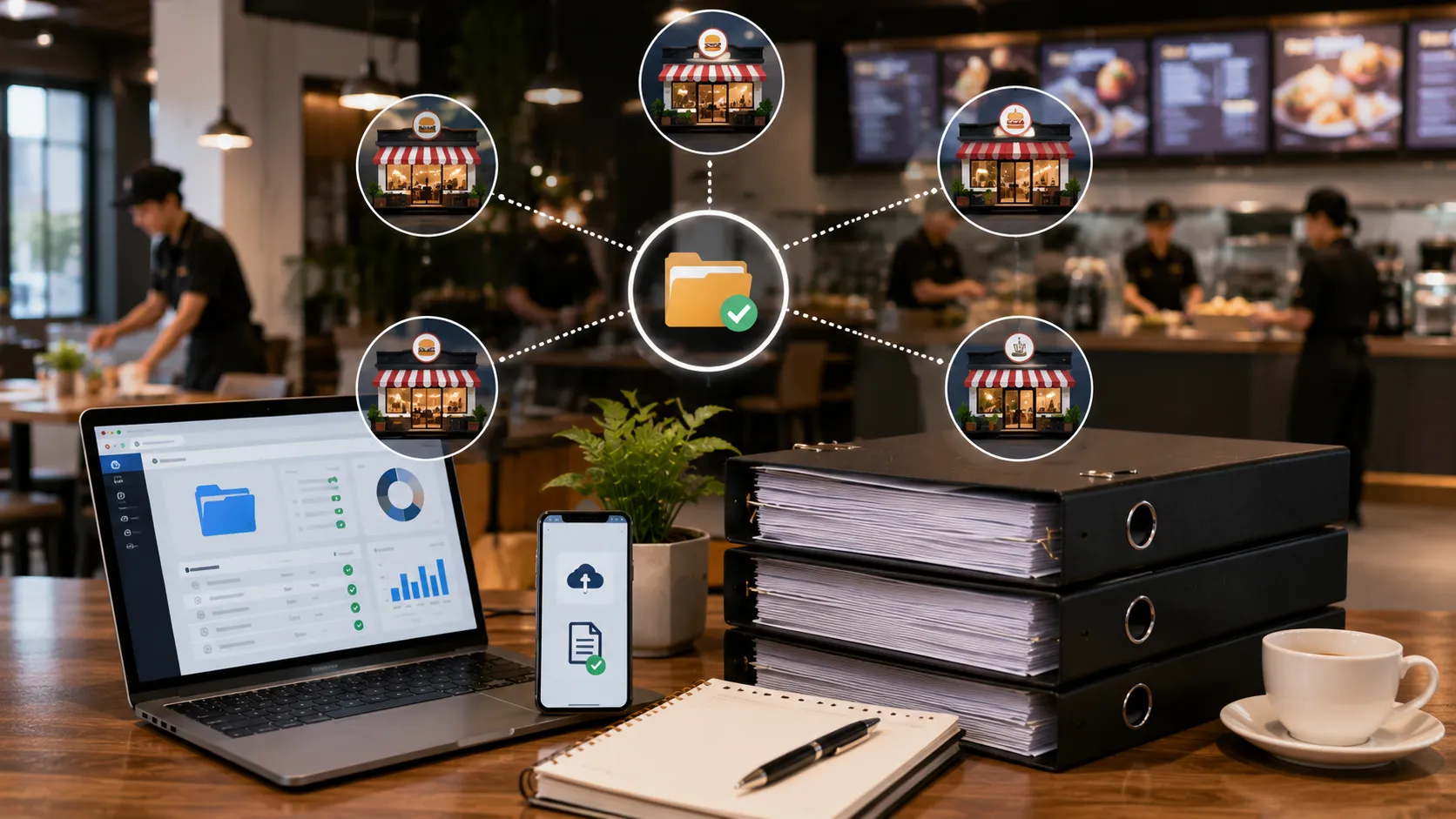
How Restaurant Chains Can Manage Supplier Documents Across Multiple Locations
Managing supplier documents can be relatively simple when a restaurant operates from one location.
As a restaurant chain grows to 10, 20, 50 or more outlets, however, supplier document management becomes much more complicated.
The same supplier may serve multiple restaurants.
Different outlets may use different local suppliers.
Some documents may be common across the entire chain, while other requirements may depend on a location, product, service or local process.
At the same time, procurement and operations teams need to know:
- Which suppliers are approved
- Which documents have been submitted
- Which documents are missing
- Which documents are valid
- Which documents are expiring
- Which documents have expired
- Which outlet is using which supplier
- Which supplier documents apply to multiple locations
- Who is responsible for follow-up
This is why restaurant chains need more than a folder structure.
They need a centralized supplier document management process.
Important: This article focuses on vendor and supplier document management. Exact food-safety, licensing, tax, labour and local requirements vary by business, location, supplier category and applicable regulations. Restaurant groups should confirm their specific requirements with their legal, food-safety, compliance, procurement and operations teams.
Why Multi-Location Supplier Management Is Different
A single restaurant may have a manageable number of suppliers.
A restaurant chain has a network.
For example:
Restaurant Chain
       │
       ├── Outlet 1
       │     ├── Local Suppliers
       │     └── Shared Suppliers
       │
       ├── Outlet 2
       │     ├── Local Suppliers
       │     └── Shared Suppliers
       │
       ├── Outlet 3
       │     ├── Local Suppliers
       │     └── Shared Suppliers
       │
       └── Outlet 4
             ├── Local Suppliers
             └── Shared Suppliers
Now imagine that each supplier has several documents.
The number of records can grow very quickly.
For example:
100 Suppliers
×
5 Documents
=
500 Supplier Documents
Across multiple locations, the complexity increases further.
The challenge is not just document storage.
It is maintaining one reliable view of supplier compliance across the entire organization.
Common Problems Restaurant Chains Face
1. Multiple Copies of the Same Supplier Document
A supplier may provide the same certificate to several outlets.
One location may store it in email.
Another may store it in Google Drive.
Another may keep a copy in a local folder.
This creates duplicate records and makes it difficult to determine which copy is current.
2. Different Suppliers at Different Outlets
A chain may have approved national suppliers but also use local suppliers.
For example:
Central Supplier
      ↓
Serves 20 Outlets

Local Supplier A
      ↓
Serves 3 Outlets

Local Supplier B
      ↓
Serves 1 Outlet
Each supplier relationship may have different documentation requirements.
3. Expiry Dates Are Easy to Miss
A supplier document may expire while the supplier continues serving several outlets.
If the expiry date is stored separately at each location, one outlet may notice the problem while another does not.
A centralized expiry-tracking process can make the situation much easier to manage.
4. Different Teams Manage Different Locations
A restaurant chain may have:
- Central procurement
- Regional procurement
- Outlet managers
- Food-safety teams
- Finance
- Operations
- Compliance
- Facilities
If each team maintains its own supplier records, getting a reliable company-wide picture becomes difficult.
Centralize the Supplier Master Record
One of the most important principles for a multi-location restaurant chain is:
Create one master supplier record and connect locations to that supplier.
For example:
ABC Foods Pvt Ltd
        │
        ├── Supplier Profile
        ├── GST/PAN
        ├── Food-Safety Documents
        ├── Quality Documents
        ├── Insurance
        └── Contract
              │
              ├── Outlet Bangalore 1
              ├── Outlet Bangalore 2
              ├── Outlet Bangalore 3
              └── Outlet Bangalore 4
Instead of creating four separate supplier records, the chain can maintain one supplier profile and associate it with the relevant locations.
This reduces duplication.
Define Supplier Categories
Supplier categories make it easier to determine which documents should be required.
For example:
- Food Supplier
- Beverage Supplier
- Packaging Supplier
- Cleaning Supplier
- Pest Control
- Security
- Maintenance
- Laundry
- Transportation
- Technology
- Facility Management
Each category can have its own document requirements.
Create Category-Specific Document Requirements
A restaurant chain should avoid asking every supplier for the same documents.
For example:
Food Supplier
Potential requirements:
- FSSAI licence/registration where applicable
- GST/PAN
- Quality documents
- Product specifications
- Testing reports where required
- Supplier declarations
Packaging Supplier
Potential requirements:
- GST/PAN
- Product specifications
- Quality documentation
- Relevant declarations
- Agreement
Pest-Control Vendor
Potential requirements:
- Business documents
- Applicable licences or authorizations
- GST/PAN
- Insurance
- Service agreement
- Service reports
Maintenance Vendor
Potential requirements:
- GST/PAN
- Insurance
- Service agreement
- Technical certificates where applicable
- Safety documents
- Service reports
The exact requirements should be defined by the restaurant chain according to its policies and applicable requirements.
Separate Chain-Wide and Location-Specific Documents
This is especially important for restaurant groups.
Some documents may apply to the supplier across the whole organization.
Others may be specific to a particular outlet or service arrangement.
Chain-Wide Documents
Examples may include:
- Supplier profile
- PAN
- GST information where applicable
- Master agreement
- Insurance
- Certain quality certificates
Location-Specific Information
Examples may include:
- Outlet-specific contract
- Delivery arrangement
- Local service records
- Outlet-specific approvals
- Location-specific operational requirements
The system should make it clear which documents apply globally and which apply to a particular location.
Example of a Multi-Location Supplier
Consider a food supplier serving 15 outlets.
The supplier has:
- One supplier profile
- One set of business documents
- Food-safety documentation
- Quality documents
- Insurance
- Master agreement
The chain then associates the supplier with:
Bangalore Outlet 1
Bangalore Outlet 2
Bangalore Outlet 3
Bangalore Outlet 4
...
Bangalore Outlet 15
If the supplier renews an applicable certificate, the chain should not need to upload the same new document 15 times.
The updated supplier document can be associated with the master supplier record while the relevant locations continue using that supplier.
Track Which Suppliers Serve Which Locations
A useful supplier-location relationship should answer:
Which outlets use this supplier?
And:
Which suppliers are used by this outlet?
For example:
| Supplier | Category | Locations | Status |
|---|---|---|---|
| ABC Foods | Food Supplier | 15 outlets | Active |
| Fresh Dairy | Dairy | 8 outlets | Active |
| CleanPro | Cleaning | 12 outlets | Active |
| Metro HVAC | Maintenance | 5 outlets | Active |
This becomes particularly valuable when a supplier document expires.
The organization can immediately understand which locations may be affected.
Track Supplier Documents Centrally
A centralized supplier document repository should make it possible to find:
- Supplier profile
- Document type
- Document status
- Issue date
- Expiry date
- Review status
- Related locations
- Upload history
For example:
| Supplier | Document | Status | Expiry | Locations |
|---|---|---|---|---|
| ABC Foods | FSSAI | Valid | 15 Mar 2027 | 15 |
| Fresh Dairy | Insurance | Expiring Soon | 02 Sep 2026 | 8 |
| CleanPro | Licence | Expired | 10 Aug 2026 | 12 |
| Metro HVAC | Certificate | Missing | — | 5 |
This gives central procurement a much clearer picture.
Manage Supplier Expiry Dates
Expiry tracking becomes especially important for chains.
A single expired document can affect several outlets.
A simple workflow could be:
Supplier Document
       ↓
Expiry Date Recorded
       ↓
60-Day Reminder
       ↓
30-Day Reminder
       ↓
15-Day Follow-Up
       ↓
Expiry
       ↓
Supplier Status Requires Action
The exact reminder periods should be configurable according to the restaurant group’s internal policy.
Notify the Right People
Not every reminder needs to go to everyone.
For example:
Central Procurement
Receives supplier-level renewal alerts.
Outlet Manager
Receives alerts for location-specific documents.
Food-Safety Team
Receives relevant food-supplier documentation alerts.
Operations
Receives issues affecting active suppliers.
Compliance
Receives unresolved or escalated document issues.
Role-based notifications can prevent employees from receiving unnecessary emails while ensuring important issues reach the right person.
Manage Local Suppliers Without Losing Central Control
Central procurement does not necessarily mean every supplier must be centrally onboarded.
Local outlets may still need to use local suppliers.
The important thing is to maintain a consistent process.
For example:
Outlet Manager
      ↓
Creates / Requests Supplier
      ↓
Central or Regional Review
      ↓
Supplier Requirements Assigned
      ↓
Documents Submitted
      ↓
Validation
      ↓
Approval
      ↓
Supplier Active
This allows local flexibility while maintaining organizational control.
Supplier Onboarding Workflow for Restaurant Chains
A structured onboarding workflow can look like this:
Supplier Identified
       ↓
Supplier Category
       ↓
Locations Selected
       ↓
Required Documents Assigned
       ↓
Documents Submitted
       ↓
Document Validation
       ↓
Human Review
       ↓
Approval
       ↓
Supplier Activated
This creates consistency across outlets.
Use AI to Assist With Supplier Document Validation
Restaurant chains may receive large numbers of documents from suppliers.
Manually checking every document can consume significant time.
AI-assisted document validation can help identify:
- Document type
- Supplier name
- Registration number
- Licence number
- Document number
- Issue date
- Expiry date
- Other relevant information
For example:
Expected:
Food-Safety Document

Uploaded:
PDF
      ↓
AI-Assisted Validation
      ↓
Document Type Identified
      ↓
Supplier Information Extracted
      ↓
Expiry Date Extracted
      ↓
Human Review
AI should be treated as a supporting validation layer.
Final compliance decisions should remain with the responsible procurement, food-safety or compliance team.
Avoid Duplicate Supplier Records
Duplicate suppliers can create serious confusion.
For example:
ABC Foods
ABC Foods Pvt Ltd
ABC Food Suppliers
ABC Foods Bangalore
These could potentially represent the same company.
A centralized supplier master record can help reduce duplication.
Useful identifiers may include:
- Legal business name
- PAN
- GSTIN where applicable
- Supplier ID
- Contact information
The exact matching rules should be defined by the restaurant chain.
Standardize Supplier Document Naming
A consistent naming approach can make document management easier.
For example:
SupplierName_DocumentType_Yearor:
ABC-Foods_FSSAI_2026
ABC-Foods_Insurance_2026
ABC-Foods_Quality-Certificate_2026
A dedicated system can reduce the need for employees to manually manage file names because documents can be associated with structured vendor and document records.
Track Missing Documents
Central procurement should be able to identify:
- Suppliers with missing documents
- Locations using incomplete suppliers
- Documents pending review
- Suppliers awaiting approval
For example:
| Supplier | Missing Document | Locations | Action |
|---|---|---|---|
| ABC Foods | Quality Report | 5 | Follow Up |
| Fresh Dairy | Insurance | 8 | Renewal |
| CleanPro | Licence | 12 | Urgent |
| Metro HVAC | Certificate | 5 | Request |
This is much more actionable than searching through individual folders.
Create a Supplier Compliance Dashboard
A restaurant chain can use a centralized dashboard to monitor:
Supplier Summary
- Total suppliers
- Active suppliers
- Pending suppliers
- Inactive suppliers
Document Summary
- Total documents
- Missing documents
- Documents expiring soon
- Expired documents
- Documents pending review
Location Summary
- Suppliers by outlet
- Non-compliant suppliers by outlet
- Upcoming expiries by outlet
Category Summary
- Food suppliers
- Packaging suppliers
- Cleaning vendors
- Pest-control vendors
- Security vendors
- Maintenance vendors
This gives management a company-wide view.
Example: 50-Outlet Restaurant Chain
Consider a restaurant chain with:
50 outlets
200 suppliers
5 documents per supplier on average
That can represent approximately:
200 × 5
=
1,000 supplier documents
If supplier relationships are duplicated across outlets, the operational complexity can be much higher.
A centralized approach can instead maintain:
200 Master Suppliers
        ↓
Supplier Documents
        ↓
Location Relationships
        ↓
Compliance Status
        ↓
Expiry Tracking
        ↓
Automated Reminders
This makes the supplier network easier to manage.
Excel vs Centralized Supplier Compliance Software
Excel can work for smaller operations.
But multi-location restaurant groups may eventually need more structured workflows.
| Capability | Excel | Centralized Compliance Platform |
|---|---|---|
| Supplier master list | ✓ | ✓ |
| Supplier documents | Possible | ✓ |
| Supplier-location mapping | Manual | ✓ |
| Expiry tracking | ✓ | ✓ |
| Automated reminders | Manual / additional setup | ✓ |
| Category-specific requirements | Manual | ✓ |
| AI-assisted validation | No | ✓ |
| Approval workflow | Manual | ✓ |
| Multi-location dashboard | Manual | ✓ |
| Role-based access | Limited | ✓ |
| Audit trail | Limited | ✓ |
| Central reporting | Manual | ✓ |
The important difference is not simply document storage.
It is the ability to manage the supplier workflow across locations.
Best Practices for Multi-Location Restaurant Supplier Management
1. Maintain One Supplier Master
Avoid creating separate supplier records for every outlet unless there is a genuine business reason.
2. Map Suppliers to Locations
Clearly identify which outlets use each supplier.
3. Categorize Suppliers
Use consistent supplier categories across the organization.
4. Define Document Requirements
Create category-specific requirements.
5. Separate Global and Local Requirements
Clearly distinguish chain-wide documents from location-specific documents.
6. Centralize Documents
Maintain one reliable source for supplier documentation.
7. Track Expiry Dates
Monitor licences, certificates, insurance and contracts where applicable.
8. Automate Reminders
Reduce manual follow-up.
9. Track Missing Documents
Give procurement teams a clear action list.
10. Maintain an Audit Trail
Record submissions, reviews, approvals, rejections and reminders.
11. Standardize the Process
Outlets should follow the same core supplier compliance workflow even when they use different local suppliers.
Multi-Location Supplier Management Checklist
Supplier Master
- Supplier master record exists
- Legal supplier name recorded
- PAN recorded
- GSTIN where applicable
- Supplier category defined
- Contact details recorded
Location Management
- Supplier-to-location mapping exists
- Active locations are identified
- Location-specific requirements are defined
- Local suppliers are identified
Documents
- Required documents defined by category
- Supplier documents centralized
- Chain-wide documents identified
- Location-specific documents identified
- Missing documents tracked
Validation
- Document type checked
- Supplier identity checked
- Important identifiers checked
- Expiry dates captured where applicable
- Human review available
Expiry Management
- Expiry dates tracked
- Upcoming expiries visible
- Automated reminders configured
- Expired documents highlighted
- Renewal documents reviewed
Reporting
- Supplier compliance dashboard
- Location-level view
- Category-level view
- Missing-document report
- Expiry report
- Audit trail
How VendorCompliancePro Can Help Restaurant Chains
VendorCompliancePro is designed around the workflow:
Collect → Verify → Track → Remind → Report
For restaurant chains, the platform can help teams:
- Maintain centralized supplier records
- Define supplier categories
- Map suppliers to multiple restaurant locations
- Define category-specific document requirements
- Centralize supplier documents
- Validate submitted documents using AI-assisted validation
- Track document expiry
- Send automated reminders
- Monitor missing and expired documents
- Review and approve documents
- Maintain an audit trail
- Generate compliance reports
Instead of maintaining separate spreadsheets and folders for every outlet, restaurant groups can manage supplier compliance through a centralized workflow.
Explore VendorCompliancePro for Restaurants & Food Service
Frequently Asked Questions
How should restaurant chains manage supplier documents?
Restaurant chains should maintain a centralized supplier master record, define supplier-specific document requirements, map suppliers to locations, track document validity and automate renewal reminders.
Should every restaurant outlet maintain its own supplier documents?
Not necessarily. Shared supplier documents can often be maintained centrally, while location-specific documents can be associated with the relevant outlet.
How can restaurant chains avoid duplicate supplier records?
Use consistent supplier identifiers such as legal business name, PAN, GSTIN where applicable and an internal supplier ID. Establish rules for identifying potential duplicates.
Can one supplier serve multiple restaurant locations?
Yes. A centralized supplier record can be associated with multiple outlets while maintaining visibility into where the supplier is active.
Should local suppliers follow the same compliance process?
The supplier requirements may differ, but the core onboarding, document collection, review, expiry tracking and approval workflow should ideally be standardized.
How can restaurant chains track supplier document expiry?
Centralized expiry tracking can record the applicable validity date for each document and trigger configurable reminders before renewal is required.
Can AI help restaurant chains validate supplier documents?
AI-assisted OCR and document validation can help identify document types, extract supplier information and expiry dates, and highlight potential mismatches. Final decisions should remain with the responsible team.
How can restaurant chains manage suppliers across 50 or 100 outlets?
A centralized supplier compliance platform can maintain master supplier records, map suppliers to locations, manage category-specific requirements and provide company-wide compliance dashboards.
Conclusion
Managing supplier documents across multiple restaurant locations becomes increasingly difficult when every outlet maintains its own spreadsheets, folders and email conversations.
The solution is not necessarily to eliminate local supplier relationships.
Instead, restaurant chains can create a centralized supplier compliance process while still allowing individual outlets to work with approved local suppliers.
The core model is:
One Supplier Master
↓
Supplier Categories
↓
Required Documents
↓
Location Mapping
↓
Document Validation
↓
Expiry Tracking
↓
Automated Reminders
↓
Compliance Reporting
This approach gives central procurement and operations teams better visibility while allowing individual outlets to operate efficiently.
As restaurant chains grow, structured supplier document management can reduce duplicate records, missed expiry dates and manual follow-ups.
VendorCompliancePro is designed to help restaurant and food-service businesses manage this workflow through centralized supplier records, AI-assisted document validation, expiry tracking, automated reminders and compliance reporting.
Explore VendorCompliancePro for Restaurants & Food Service
Related Articles
Restaurant & Food Service Vendor Compliance
- Restaurant Vendor Compliance Checklist for India
- Vendor Management for Hotels: Excel vs Vendor Compliance Software
- How Hotels Can Manage Vendor Documents and Expiry Dates
- Hotel Vendor Compliance: Documents You Should Track
Vendor Compliance
- What Is Vendor Compliance?
- Vendor Document Management
- Vendor Audit Readiness Checklist
- Vendor Compliance Software India