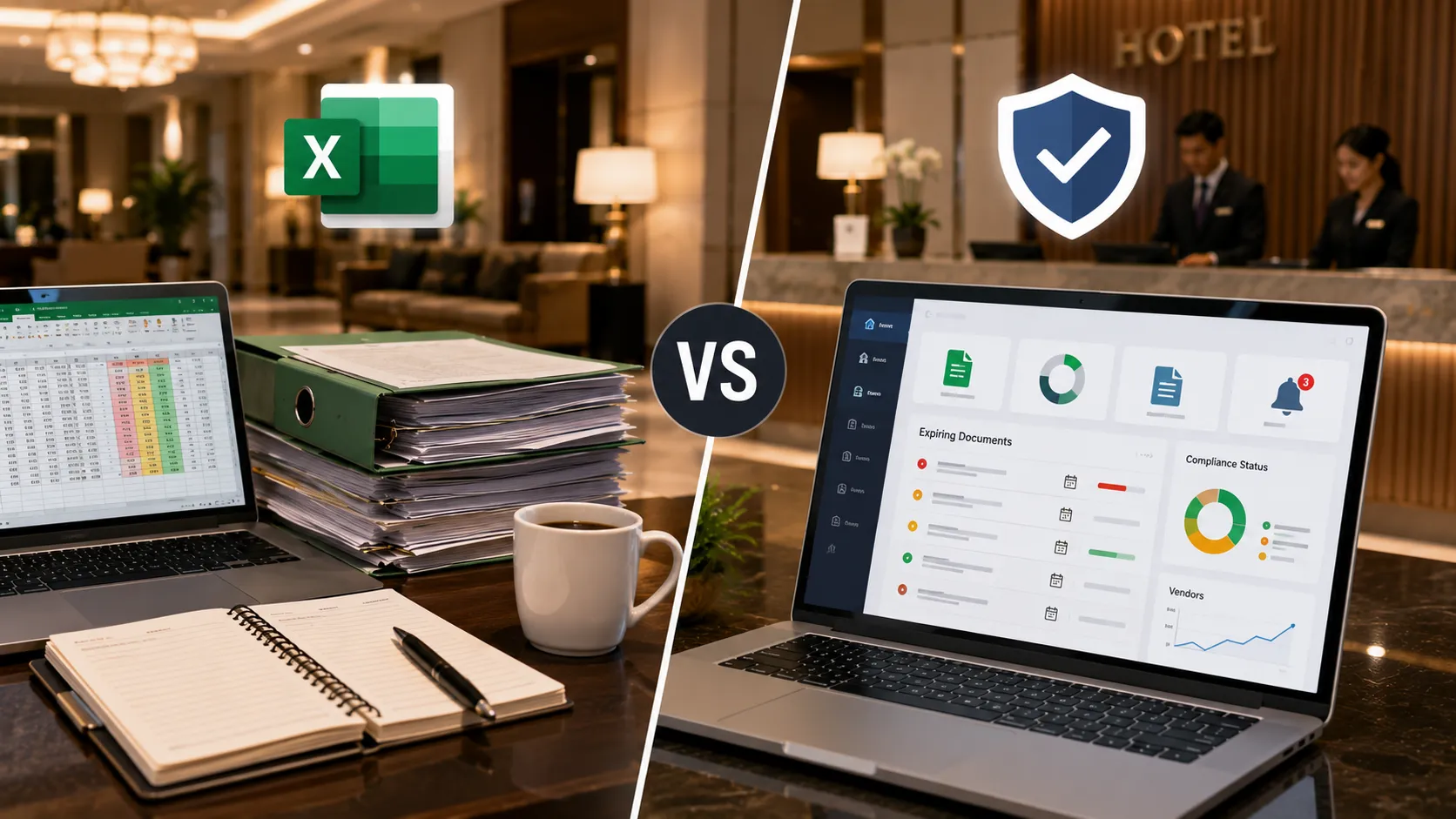
Vendor Management for Hotels: Excel vs Vendor Compliance Software
Excel is one of the most common tools used by hotels to manage vendor information.
It is familiar, flexible and inexpensive.
A hotel can create a spreadsheet with columns such as:
- Vendor name
- Vendor category
- Document name
- Document status
- Expiry date
- Contact person
- Follow-up date
For a small vendor network, this can work well.
But as the number of vendors, documents and hotel locations increases, vendor management can become more complicated.
Teams may eventually find themselves managing:
- Multiple spreadsheets
- Email conversations
- Shared folders
- PDF documents
- Manual expiry checks
- Vendor follow-ups
- Approval records
- Compliance reports
At that point, the question becomes:
Should we continue managing vendor compliance with Excel, or should we use dedicated vendor compliance software?
The answer depends on the hotel’s size, vendor volume, process complexity and operational requirements.
This article compares both approaches to help hotel procurement, operations and compliance teams decide when Excel is enough and when a dedicated platform may provide more value.
Important: Vendor compliance requirements vary by hotel, vendor category, location, contract and applicable regulations. Software should support the hotel’s compliance process rather than be treated as a substitute for legal or professional compliance advice.
Excel for Hotel Vendor Management
Excel is often the first tool used to organize vendor information.
A basic spreadsheet might look like this:
| Vendor | Category | Document | Status | Expiry |
|---|---|---|---|---|
| ABC Foods | Food Supplier | FSSAI | Valid | 15 Mar 2027 |
| SecurePlus | Security | Insurance | Expiring Soon | 02 Sep 2026 |
| CleanPro | Housekeeping | Agreement | Valid | 20 Dec 2026 |
| Metro HVAC | Maintenance | Certificate | Expired | 10 Aug 2026 |
This gives the team a simple overview.
For a small operation, that may be all that is required.
When Excel Works Well
Excel can be a reasonable choice when:
- The hotel has a small number of vendors
- Only a few documents need tracking
- One or two people manage the process
- Vendor updates are infrequent
- Manual reminders are manageable
- There is no need for complex approval workflows
- Reporting requirements are simple
For example, a small independent hotel with 20 vendors may not need dedicated vendor compliance software.
A well-maintained spreadsheet could be sufficient.
The important thing is to recognize when the process starts becoming difficult to maintain.
Where Excel Starts Becoming Difficult
The problem with Excel isn’t Excel itself.
The problem is that vendor compliance eventually becomes more than a spreadsheet.
A growing hotel operation may need to manage:
Vendors
   ↓
Vendor Categories
   ↓
Required Documents
   ↓
Document Uploads
   ↓
Validation
   ↓
Expiry Tracking
   ↓
Reminders
   ↓
Approvals
   ↓
Reporting
   ↓
Audit Trail
A spreadsheet can track some of these items.
But the more workflow you add, the more manual the process can become.
1. Document Storage
Excel can record that a document exists.
For example:
Vendor: ABC Security
Document: Insurance
Status: Valid
Expiry: 30 Sep 2026
But the actual PDF may be stored somewhere else.
It could be in:
- Google Drive
- OneDrive
- Shared network folders
- Local folders
- Procurement systems
The spreadsheet then becomes an index rather than the actual document-management system.
A dedicated platform can combine the vendor record and the document repository.
2. Expiry Tracking
Excel can track expiry dates effectively.
A team can use:
- Conditional formatting
- Formulas
- Filters
- Sort functions
For example:
Expiry < Today
        ↓
Expired

Expiry < 30 Days
        ↓
Expiring Soon
This works.
The challenge is that someone still has to monitor the spreadsheet.
If the person responsible forgets to check it, the reminder process can fail.
A dedicated vendor compliance platform can automatically monitor dates and trigger notifications according to configured rules.
3. Automated Reminders
This is one of the biggest differences.
With Excel, reminders often require:
- Manual checks
- Calendar entries
- Emails
- Outlook tasks
- Scripts
- Macros
With dedicated software, reminders can be part of the workflow.
For example:
60 Days Before Expiry
        ↓
Vendor Reminder

30 Days Before Expiry
        ↓
Follow-Up

15 Days Before Expiry
        ↓
Escalation

Expired
        ↓
Status Updated
The exact reminder schedule can be configured according to the hotel’s policy.
4. Document Validation
Excel can record:
Document received
But it cannot by itself determine whether the uploaded PDF is actually the expected document.
For example:
Expected:
Insurance Certificate
Uploaded:
Old quotation
A vendor compliance platform can provide a document-review workflow.
With AI-assisted document validation, the system may also help identify:
- Document type
- Vendor name
- Registration number
- Licence number
- Issue date
- Expiry date
- Other relevant information
AI should support human review rather than replace the responsible compliance decision.
5. Vendor-Specific Requirements
Hotels don’t need the same documents from every vendor.
A food supplier may need a different checklist from a security agency.
A maintenance contractor may require technical certificates.
A housekeeping agency may require contractor and workforce documentation.
With Excel, teams often create:
- Multiple tabs
- Separate spreadsheets
- Different columns
- Manual checklists
A dedicated platform can define requirements based on vendor category.
For example:
Food Supplier
    ↓
Food-safety documents
GST/PAN
Quality documents
Agreement

Security Agency
    ↓
Applicable security documentation
GST/PAN
Insurance
Worker records
Agreement

Maintenance Contractor
    ↓
Technical certificates
Insurance
Safety documents
Service records
Agreement
This makes the process more consistent.
6. Multiple Hotel Locations
This becomes important for hotel groups.
Suppose a company operates:
- Hotel A
- Hotel B
- Hotel C
- Hotel D
Each property may have its own vendors.
Some vendors may work across multiple properties.
A spreadsheet-based process can become difficult because teams may maintain separate files.
A centralized system can provide:
- Property information
- Vendor information
- Shared vendor records
- Location-specific requirements
- Central compliance visibility
This is particularly useful as the organization grows.
7. User Access and Roles
A spreadsheet can be shared with multiple users.
But managing access and responsibilities can become difficult.
A hotel may want:
Procurement
To manage vendor onboarding.
Operations
To monitor vendor status.
Facilities
To manage maintenance contractors.
Compliance
To review documents.
Management
To view reports.
Dedicated software can provide role-based access and workflows designed around these responsibilities.
8. Approval Workflow
With Excel, approval may be represented by a column:
Status = ApprovedBut the actual approval process may still happen through email or conversation.
A dedicated platform can make the workflow explicit:
Document Submitted
        ↓
Validation
        ↓
Review
        ↓
Approved / Rejected
        ↓
Vendor Compliance Status
This reduces ambiguity about what is waiting for action.
9. Audit Trail
Excel does have version history in some environments, but it is not designed specifically as a vendor compliance audit trail.
A dedicated compliance platform can record events such as:
- Document uploaded
- Document reviewed
- Document approved
- Document rejected
- Expiry date changed
- Reminder sent
- Vendor status changed
This can make it easier to understand what happened and when.
10. Reporting
A spreadsheet can generate reports.
For example:
- Vendor list
- Expiring documents
- Expired documents
- Missing documents
But reports may require:
- Filters
- Pivot tables
- Formulas
- Manual formatting
- Data cleanup
A vendor compliance platform can provide dashboards and reports directly from the underlying vendor records.
Useful views can include:
Vendor Compliance Summary
- Total vendors
- Compliant vendors
- Incomplete vendors
- Expired vendors
Document Summary
- Missing documents
- Expiring documents
- Expired documents
- Pending reviews
Category Summary
- Housekeeping
- Security
- Maintenance
- Food suppliers
- Other vendor categories
Excel vs Vendor Compliance Software
Here is a practical comparison.
| Capability | Excel | Vendor Compliance Software |
|---|---|---|
| Vendor master list | ✓ | ✓ |
| Basic document tracking | ✓ | ✓ |
| Expiry-date tracking | ✓ | ✓ |
| Central document repository | Limited | ✓ |
| Automated reminders | Manual / additional setup | ✓ |
| Vendor-specific requirements | Manual | ✓ |
| AI-assisted document validation | No | ✓ |
| Approval workflow | Manual | ✓ |
| Role-based access | Limited | ✓ |
| Multi-location management | Possible but complex | ✓ |
| Compliance dashboard | Manual | ✓ |
| Audit trail | Limited | ✓ |
| Automated reporting | Manual | ✓ |
| Vendor self-service | No | Possible |
| Scalability | Increasingly manual | Designed for workflow |
The important word is workflow.
Excel is primarily a spreadsheet.
Vendor compliance software is designed to manage the process around the documents.
When Should a Hotel Move Beyond Excel?
There is no magic vendor count at which every hotel should buy software.
Instead, look for signs that the current process is becoming difficult.
Sign 1: Too Many Vendors
If the team is managing dozens or hundreds of vendors, manual tracking becomes more time-consuming.
Sign 2: Too Many Documents
A growing vendor base can quickly produce hundreds or thousands of documents.
For example:
200 Vendors
×
5 Documents
=
1,000 Documents
At that point, document organization becomes a significant operational task.
Sign 3: Missed Expiry Dates
If expired documents are discovered after the fact, the existing reminder process may not be reliable enough.
Sign 4: Too Many Manual Follow-Ups
If employees spend significant time emailing and calling vendors for renewals, automation may provide value.
Sign 5: Multiple Locations
As hotel groups grow, centralized vendor visibility becomes more important.
Sign 6: Audit Preparation Takes Too Long
If management or auditors ask for vendor records and employees have to search through multiple folders and spreadsheets, the process may need improvement.
Sign 7: Multiple Teams Are Involved
When procurement, facilities, operations, HR and compliance teams all interact with the same vendor records, a shared workflow can become valuable.
A Simple Decision Framework
Use this simple framework.
Stay With Excel If:
- Vendor volume is low
- Documents are simple
- One person manages the process
- Manual reminders work
- Reporting is basic
- There are few locations
Consider Vendor Compliance Software If:
- Vendor volume is growing
- Documents are spread across multiple systems
- Expiry tracking is becoming difficult
- Manual reminders consume significant time
- Multiple teams manage vendors
- You need AI-assisted document validation
- You operate multiple locations
- Audit preparation is becoming difficult
- You need centralized dashboards and reporting
The goal isn’t to replace Excel because it is old.
The goal is to use the right tool for the complexity of the process.
Can Hotels Use Excel and Vendor Compliance Software Together?
Yes.
Moving to dedicated software does not mean every spreadsheet must disappear immediately.
A hotel may continue using Excel for:
- Financial analysis
- Procurement analysis
- Budgeting
- Vendor spend analysis
- Ad-hoc reporting
while using vendor compliance software for:
- Vendor document management
- Document validation
- Expiry tracking
- Automated reminders
- Compliance workflows
- Audit history
This can be a practical transition strategy.
How VendorCompliancePro Fits
VendorCompliancePro is designed specifically around the vendor compliance workflow:
Collect → Verify → Track → Remind → Report
The platform can help hotels:
- Create vendor records
- Define vendor-specific document requirements
- Centralize documents
- Validate documents using AI-assisted validation
- Track expiry dates
- Send automated reminders
- Monitor missing and expired documents
- Manage review and approval
- Maintain audit history
- Generate compliance reports
The goal isn’t simply to replace an Excel spreadsheet.
The goal is to reduce the amount of manual work around vendor compliance.
Explore VendorCompliancePro for Hotels & Hospitality
Example: A Hotel With 25 Vendors vs 250 Vendors
Consider two hotels.
Hotel A — 25 Vendors
The hotel has:
- 25 vendors
- One procurement employee
- Limited document requirements
- One location
- Simple reporting
Excel may be completely sufficient.
There may be no reason to introduce dedicated software.
Hotel B — 250 Vendors
The hotel has:
- 250 vendors
- Multiple vendor categories
- Hundreds or thousands of documents
- Multiple departments
- Frequent expiry dates
- Regular vendor follow-ups
- Multiple locations
Now the process is fundamentally different.
The team is no longer simply maintaining a spreadsheet.
They are managing a vendor compliance workflow.
This is where dedicated software can become much more valuable.
Cost Is Not the Only Factor
When comparing Excel with software, don’t look only at the subscription price.
Consider the total operational cost.
For example:
Software Cost
        +
Employee Time
        +
Manual Follow-Ups
        +
Document Searching
        +
Reporting Effort
        +
Audit Preparation
A spreadsheet may have almost no software cost.
But if employees spend many hours every month maintaining the process, the operational cost can be significant.
The right question is:
How much time and operational effort does our current vendor compliance process consume?
How to Evaluate Vendor Compliance Software
Before choosing a platform, hotels should ask:
Document Management
- Can we centralize vendor documents?
- Can we define different document requirements by vendor category?
- Can we upload multiple documents?
Validation
- Can the platform identify document types?
- Can it extract important information?
- Can users review validation results?
Expiry Management
- Can expiry dates be tracked?
- Can reminders be configured?
- Can different reminder schedules be used?
Workflow
- Can documents be reviewed and approved?
- Can users assign responsibility?
- Is there an audit history?
Reporting
- Can we see missing documents?
- Can we see expiring documents?
- Can we see expired documents?
- Can we generate compliance reports?
Security and Access
- Can different users have different roles?
- Can access be controlled?
- Can activities be tracked?
Scalability
- Can the platform handle more vendors?
- Can multiple hotel locations be managed?
- Can vendor categories and requirements evolve?
Hotel Vendor Management Checklist
Before deciding whether you need software, review your current process.
Vendor Management
- Vendor master list exists
- Vendor categories are defined
- Vendor owner is assigned
- Contract information is tracked
Document Management
- Required documents are defined
- Documents are stored centrally
- Missing documents are visible
- Latest document version is identifiable
Expiry Management
- Expiry dates are recorded
- Upcoming expiries are visible
- Expired documents are identified
- Renewal reminders are sent
Workflow
- Documents are reviewed
- Approvals are recorded
- Rejected documents are tracked
- Follow-ups are recorded
Reporting
- Compliance dashboard exists
- Missing-document report exists
- Expiry report exists
- Audit history is available
If many of these boxes require manual effort, it may be time to evaluate a dedicated vendor compliance platform.
Frequently Asked Questions
Is Excel good for hotel vendor management?
Yes. Excel can be a practical choice for hotels with a small vendor network and relatively simple compliance requirements.
At what number of vendors should a hotel stop using Excel?
There is no universal number. The decision depends on document volume, number of locations, teams involved, reminder workload, reporting requirements and process complexity.
Can Excel track vendor document expiry dates?
Yes. Excel can track expiry dates using formulas, filters and conditional formatting. The challenge is maintaining the process consistently as the number of vendors grows.
What does vendor compliance software provide that Excel does not?
Dedicated platforms can combine document storage, vendor-specific requirements, automated reminders, approval workflows, AI-assisted validation, dashboards, role-based access and audit history in one workflow.
Can hotels continue using Excel after adopting vendor compliance software?
Yes. Excel can continue to be useful for financial analysis, budgeting, spend analysis and ad-hoc reporting while the compliance platform manages vendor documents and compliance workflows.
Is vendor compliance software worth the cost for a small hotel?
Not necessarily. A small hotel with a limited number of vendors may find Excel sufficient. Software becomes more attractive when manual administration, expiry tracking and vendor follow-ups become difficult to manage.
Can AI replace hotel compliance teams?
No. AI can automate document classification, information extraction and validation checks, but responsible hotel teams should make final compliance decisions.
What is the biggest advantage of vendor compliance software?
The biggest advantage is centralizing the entire workflow around vendor compliance rather than simply maintaining a spreadsheet of document dates.
Conclusion
Excel remains a useful tool for hotel vendor management.
For a small vendor network, it can be simple, flexible and cost-effective.
The challenge comes when vendor compliance grows into a complex operational process involving:
- Hundreds of vendors
- Thousands of documents
- Multiple locations
- Multiple departments
- Expiry tracking
- Vendor follow-ups
- Document validation
- Approvals
- Reporting
- Audit history
At that stage, the question is no longer:
“Can Excel track our vendors?”
It is:
“Can our current process reliably manage vendor compliance at our scale?”
If the answer is yes, Excel may still be the right tool.
If the answer is no, dedicated vendor compliance software can provide a more structured way to collect, verify, track, remind and report.
For hotels evaluating that transition, VendorCompliancePro is designed to provide this workflow in one centralized platform.
Explore VendorCompliancePro for Hotels & Hospitality
Related Articles
Hospitality Vendor Compliance
- Vendor Compliance Checklist for Hotels in India
- How Hotels Can Manage Vendor Documents and Expiry Dates
- Hotel Vendor Compliance: Documents You Should Track
- How to Manage Housekeeping, Security and Maintenance Vendor Compliance
Vendor Compliance
- What Is Vendor Compliance?
- Vendor Document Management
- Vendor Audit Readiness Checklist
- Vendor Compliance Software India