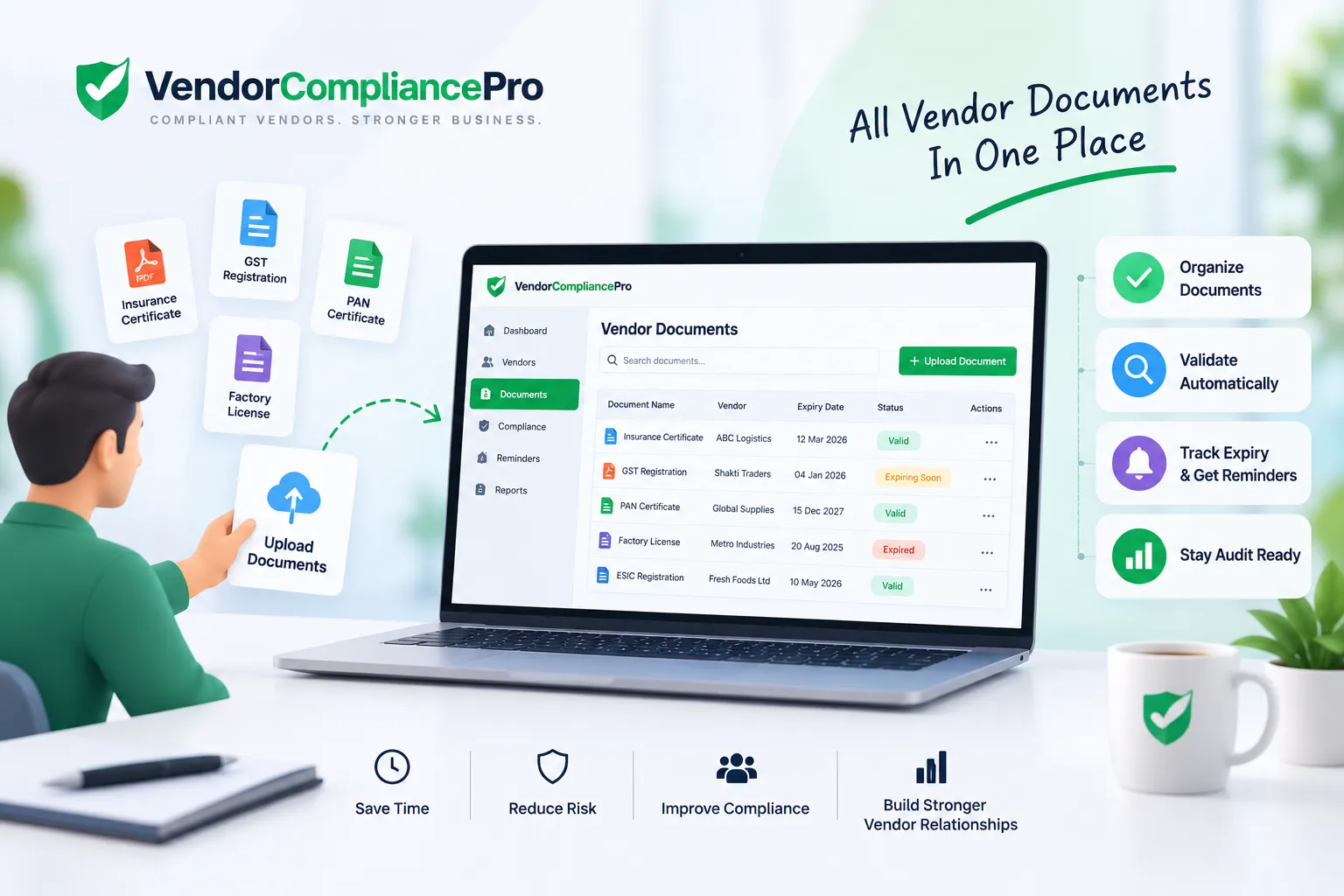
Vendor Document Management Software: Features, Benefits & Buyer’s Guide
Managing vendor documents becomes increasingly difficult as supplier networks grow.
Procurement and compliance teams may need to collect insurance certificates, tax documents, licenses, registrations, certifications, contracts, and other supplier records. When these documents are scattered across email inboxes, shared folders, spreadsheets, and local drives, it becomes difficult to know which documents are complete, valid, or about to expire.
Vendor Document Management Software provides a structured way to collect, organize, validate, track, and manage supplier documents throughout the vendor lifecycle.
This guide explains what vendor document management software is, how it works, the key features to evaluate, its benefits, common challenges, and how it can support vendor onboarding and ongoing compliance.
What Is Vendor Document Management Software?
Vendor Document Management Software is a digital solution used to centralize and manage documents associated with vendors and suppliers.
Instead of storing supplier documents across disconnected systems, organizations can use a centralized workflow to request documents, receive submissions, review them, monitor expiry dates, and maintain an audit history.
A typical vendor document management process includes:
- Define required documents
- Request documents from vendors
- Collect uploaded documents
- Validate documents
- Review and approve documents
- Track expiry dates
- Send renewal reminders
- Maintain document history
- Monitor vendor compliance status
The exact process depends on the organization’s vendor categories, policies, compliance requirements, and risk levels.
Why Companies Need Vendor Document Management Software
Managing vendor documents manually can create several operational problems.
Common challenges include:
- Documents stored in multiple locations
- Missing supplier documents
- Expired certificates or licenses
- Difficulty finding the latest document
- Manual email follow-ups
- No centralized document status
- Limited visibility into vendor compliance
- Inconsistent document naming
- Duplicate files
- Difficulty proving compliance during audits
As the number of vendors increases, these problems become harder to manage manually.
Vendor document management software can provide a standardized process and a central view of vendor documentation.
How Vendor Document Management Software Works
A typical workflow looks like this:
Document Requirements → Vendor Request → Document Upload → Validation → Review → Approval → Expiry Tracking → Renewal Reminder → Compliance Monitoring
Step 1: Define Document Requirements
The organization defines which documents are required for each vendor.
Requirements can vary based on:
- Vendor type
- Industry
- Country or location
- Services provided
- Risk level
- Business unit
- Regulatory requirements
For example, a high-risk contractor may require more documentation than a low-risk office supplier.
Step 2: Request Documents
The organization sends the vendor a request for the required documents.
A self-service vendor portal can allow suppliers to upload documents directly instead of sending attachments by email.
Step 3: Collect Documents
The vendor uploads the requested documents.
The system should associate each document with the correct vendor and document type.
Step 4: Validate Documents
Submitted documents can be checked for completeness and validity.
Depending on the software, validation may include:
- Required document checks
- Document type checks
- Date checks
- Expiry date checks
- Vendor information consistency
- Duplicate document checks
- Manual reviewer verification
Step 5: Review and Approve
Documents that require human review can be routed to the appropriate procurement, compliance, finance, or business team.
Step 6: Track Expiry Dates
Documents such as insurance certificates, licenses, registrations, and certifications may have expiration dates.
The software can maintain those dates and show which documents are:
- Valid
- Expiring soon
- Expired
- Missing
- Under review
Step 7: Send Renewal Reminders
Automated reminders can notify vendors and internal teams when documents need to be renewed.
This reduces the need for procurement teams to manually check every vendor record.
Step 8: Maintain Document History
A good system should retain important document and activity history so teams can understand what was submitted, reviewed, approved, replaced, or rejected.
Key Features of Vendor Document Management Software
When evaluating a solution, consider these capabilities.
Centralized Vendor Documents
All vendor-related documents should be associated with the appropriate supplier record and easy for authorized users to locate.
Vendor Self-Service
A vendor portal can allow suppliers to upload and update their own documents.
Document Request Workflows
The system should support structured document requests rather than relying entirely on email.
Document Validation
Look for capabilities that help identify missing, incomplete, invalid, or outdated documents.
Expiry Date Tracking
The system should track important expiry dates and provide visibility into upcoming renewals.
Automated Reminders
Automated reminders can reduce repetitive follow-up work.
Document Status Tracking
Useful statuses may include:
- Missing
- Requested
- Submitted
- Under review
- Approved
- Rejected
- Expiring soon
- Expired
Compliance Dashboard
A dashboard can help procurement and compliance teams quickly identify vendors with missing or expired documentation.
Audit Trail
Important actions should be recorded, including document submissions, reviews, approvals, replacements, and status changes.
Role-Based Access
Sensitive vendor documents should only be accessible to authorized users.
Search and Filtering
Users should be able to find vendors and documents using relevant fields such as vendor name, document type, status, or expiry date.
Reporting
Reporting can help teams understand document completion, upcoming expiries, expired documents, and overall vendor compliance status.
Integration
The solution should fit into the organization’s existing ERP, procurement, or vendor management environment where integration is required.
Vendor Document Management Software vs Shared Folders
Shared folders can work for a small number of vendors, but they often become difficult to govern as supplier volumes increase.
| Area | Shared Folders | Vendor Document Management Software |
|---|---|---|
| Document storage | Folder-based | Vendor-centered |
| Expiry tracking | Usually manual | Structured tracking |
| Reminders | Manual | Automated |
| Document status | Difficult to manage | Centralized |
| Vendor self-service | Limited | Often available |
| Audit trail | Limited | Structured |
| Compliance visibility | Manual | Dashboard/reporting |
| Search | File-based | Vendor/document-based |
| Workflow | Limited | Configurable |
A shared folder may still be useful for some internal purposes, but it does not by itself provide a complete vendor document management workflow.
Benefits of Vendor Document Management Software
Reduce Manual Follow-Ups
Automated requests and reminders can reduce repetitive email communication.
Improve Document Visibility
Teams can see which vendors have submitted required documents and which requirements remain outstanding.
Reduce Expired Document Risk
Expiry tracking and reminders can help teams identify documents that need renewal.
Improve Vendor Compliance
Centralized documentation makes it easier to monitor whether vendors have met defined requirements.
Improve Audit Readiness
A structured document history can make it easier to demonstrate what documentation was collected and reviewed.
Improve Vendor Experience
A vendor portal gives suppliers a clear place to submit and update documents.
Support Better Vendor Data
Documents can be associated with structured vendor information, helping procurement teams maintain a more complete vendor record.
Scale Vendor Operations
A standardized workflow becomes increasingly valuable as the supplier network grows.
Vendor Document Management for Different Industries
Document requirements vary significantly between industries.
Manufacturing
Manufacturers may need supplier insurance, certifications, tax documents, registrations, quality documentation, and other compliance records.
Logistics
Logistics companies may manage licenses, insurance, registrations, service documentation, and other supplier requirements.
Hospitality
Hotels and hospitality organizations may collect documents from food suppliers, maintenance providers, contractors, housekeeping vendors, and service providers.
Food Processing and Food Service
Food-related organizations may require supplier certifications, regulatory documentation, insurance, and other records relevant to their operating requirements.
Construction and Facilities Management
These organizations may manage insurance certificates, licenses, safety documentation, certifications, and subcontractor records.
The exact document requirements should be determined by the organization’s policies and applicable regulations.
Vendor Document Management and Vendor Compliance
Vendor document management is closely connected to vendor compliance.
Collecting a document is only one part of compliance management.
Organizations may also need to know:
- Is the document valid?
- Is it associated with the correct vendor?
- Does it expire?
- Has it been reviewed?
- Is a replacement required?
- Is the vendor currently compliant?
A document management solution that includes compliance workflows can provide better visibility than simple file storage.
Vendor Document Management and Vendor Onboarding
Vendor document collection is often one of the most time-consuming parts of vendor onboarding.
A structured onboarding process can connect:
Vendor Registration → Document Collection → Document Validation → Compliance Review → Approval → Vendor Activation
After activation, the same vendor document records can continue to support ongoing compliance monitoring.
This creates continuity between onboarding and vendor lifecycle management.
Vendor Document Management and Vendor Master Data
Vendor documents are closely related to vendor master data, but they are not the same thing.
Vendor master data contains structured information such as:
- Legal name
- Address
- Tax information
- Contact information
- Banking information
- Vendor status
Vendor documents provide supporting evidence or records associated with that vendor.
Connecting documents with structured vendor information can make it easier to manage the complete vendor record.
How to Choose Vendor Document Management Software
Before selecting a solution, document your current process.
Consider:
- How many vendors do we manage?
- How many documents are collected per vendor?
- Which document types are mandatory?
- How often do documents expire?
- How are vendors currently reminded?
- How are documents reviewed?
- Who approves documents?
- How is vendor compliance measured?
- How are documents accessed during audits?
- Do vendors need self-service access?
- Do we need ERP or procurement integration?
- What access controls are required?
Then compare potential solutions against your actual requirements.
Vendor Document Management Software Buying Checklist
Use this checklist when evaluating a solution:
- Centralized vendor document storage
- Vendor self-service portal
- Document request workflows
- Configurable document requirements
- Document validation
- Expiry date tracking
- Automated reminders
- Document status tracking
- Compliance dashboards
- Audit trail
- Search and filtering
- Reporting
- Role-based access
- Vendor onboarding integration
- Vendor master data integration
- ERP/procurement integration
- Configurable workflows
Common Vendor Document Management Mistakes
Treating Document Storage as Document Management
Simply putting files into folders does not create a controlled document management process.
Not Tracking Expiry Dates
A document can be present but no longer valid.
Relying Entirely on Email
Email makes it difficult to maintain a centralized view of document status.
No Clear Document Requirements
Vendors need to know exactly which documents are required and when.
No Ownership
Each review or approval stage should have a clear owner.
No Renewal Process
Organizations should define what happens when a document is approaching expiry.
Giving Everyone Access
Vendor documents may contain sensitive business information. Access should be controlled according to organizational requirements.
Ignoring Document History
Replacing a document without retaining an appropriate history can make audits and investigations more difficult.
Vendor Document Management Software and Automation
Automation can reduce repetitive administrative work across the document lifecycle.
Examples include:
- Automated document requests
- Automated reminders
- Expiry notifications
- Workflow routing
- Status updates
- Compliance alerts
- Vendor notifications
- Reporting
Automation should support a clearly defined process rather than simply automate an inefficient one.
How VendorCompliancePro Supports Vendor Document Management
VendorCompliancePro is designed to help organizations manage vendor information, documents, compliance requirements, and follow-ups through a structured workflow.
Organizations can use the platform to support activities such as:
- Vendor document collection
- Centralized vendor document management
- Document expiry tracking
- Automated reminders
- Vendor compliance monitoring
- Vendor onboarding
- Vendor self-service
- Compliance visibility
- Audit history
VendorCompliancePro can complement an existing ERP or procurement system rather than requiring organizations to replace those systems.
For organizations managing large supplier networks, the platform provides a structured approach to connecting vendor documents with onboarding and ongoing vendor compliance.
Frequently Asked Questions
What is vendor document management software?
Vendor document management software is a digital solution for collecting, organizing, validating, tracking, and managing documents associated with vendors and suppliers.
What documents can be managed?
Depending on the organization, documents may include insurance certificates, tax documents, licenses, registrations, certifications, contracts, and other compliance records.
Can vendor document management software track expiry dates?
Yes. Expiry tracking is a common capability and can help organizations identify documents that are approaching expiration or have already expired.
Can vendors upload their own documents?
Many solutions provide a vendor portal or self-service capability that allows suppliers to submit and update documents directly.
Does vendor document management software replace an ERP?
Not necessarily. It can complement an ERP by managing document collection, validation, compliance workflows, and vendor interactions.
How does vendor document management support compliance?
It can centralize required documents, track their status and expiry dates, provide reminders, and maintain an activity history.
What is the difference between document storage and document management?
Document storage focuses primarily on keeping files. Document management adds structured workflows, metadata, validation, permissions, status tracking, expiry monitoring, reminders, and audit history.
How do I choose vendor document management software?
Start by documenting your vendor volume, document requirements, review process, expiry management needs, approval workflows, access controls, reporting requirements, and integration needs. Then compare solutions against those requirements.
Conclusion
Vendor document management becomes increasingly important as organizations manage larger supplier networks and more complex compliance requirements.
The right software can help centralize vendor documents, simplify collection, improve expiry tracking, automate reminders, support compliance workflows, and provide better visibility into vendor documentation.
When evaluating a solution, focus on the complete document lifecycle rather than storage alone.
The best solution should fit your vendor onboarding process, compliance requirements, supplier experience, internal workflows, and existing systems.
For organizations looking to connect vendor document management with vendor onboarding and ongoing compliance monitoring, VendorCompliancePro provides a structured approach to managing these activities.