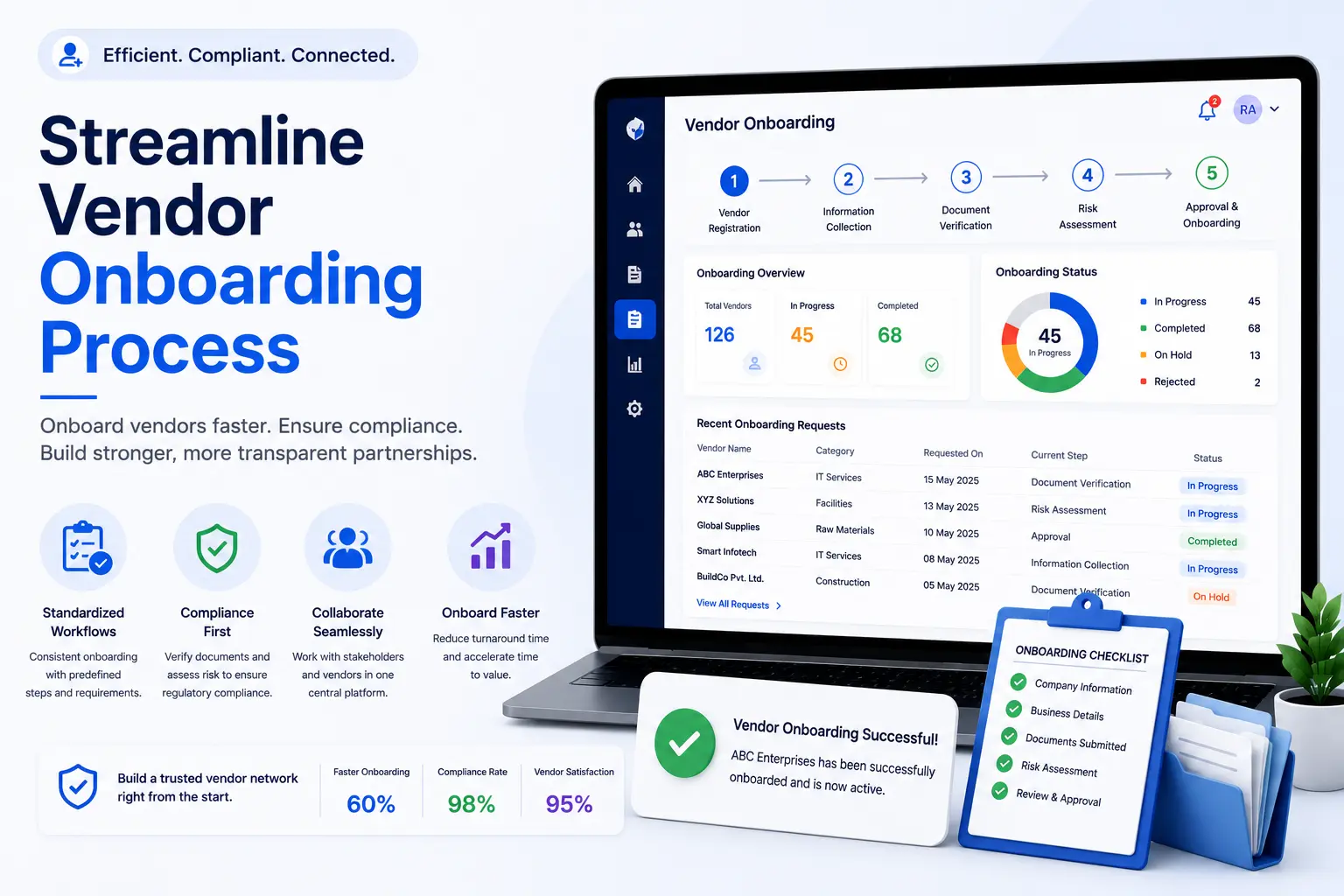
Vendor Onboarding Process: Complete Guide for Manufacturing and Industrial Companies (2026)
Vendor onboarding is the process of registering, verifying, approving, and activating a supplier, contractor, or service provider before they begin working with an organization.
For manufacturing and industrial companies, onboarding is more than collecting a company name and bank details. Procurement and compliance teams may need to collect statutory registrations, insurance documents, licences, safety records, contracts, and other information based on the vendor’s category and activities.
A structured vendor onboarding process helps organizations collect the right information, verify requirements, create clear approval workflows, and establish a foundation for ongoing vendor compliance.
This guide explains the complete vendor onboarding workflow, common documents, approval steps, practical checklists, common mistakes, and how software can reduce manual work.
What Is Vendor Onboarding?
Vendor onboarding is the structured process of bringing a new supplier, contractor, or service provider into an organization’s approved vendor ecosystem.
A typical process includes:
- Vendor registration
- Vendor classification
- Document collection
- Document verification
- Compliance assessment
- Internal approval
- Vendor activation
- Ongoing monitoring
The exact requirements depend on the vendor type, industry, services provided, location, and internal policies.
Why Is Vendor Onboarding Important?
A well-designed onboarding process helps organizations:
- Collect complete vendor information
- Identify compliance requirements early
- Reduce duplicate vendor records
- Improve approval visibility
- Reduce onboarding delays
- Establish accountability
- Improve audit readiness
- Create a foundation for ongoing vendor monitoring
Poor onboarding can create problems later, including missing documents, incorrect vendor information, unclear ownership, and compliance gaps.
Vendor Onboarding Process: Step by Step
Step 1: Identify the Vendor Requirement
Before requesting information, define why the organization needs the vendor.
Record information such as:
- Product or service category
- Business unit
- Location
- Plant or facility
- Vendor type
- Business criticality
- Procurement owner
This helps determine which onboarding requirements apply.
Step 2: Vendor Registration
Collect the vendor’s basic business information.
Typical information includes:
- Legal company name
- Trade name, where applicable
- Registered address
- Contact person
- Email address
- Phone number
- Vendor category
- GST details, where applicable
- PAN details
- Bank details
- Business type
This information becomes part of the vendor master record.
Step 3: Classify the Vendor
Different vendors may require different onboarding requirements.
For example:
- Raw-material supplier
- Transport vendor
- Manpower contractor
- Security agency
- Housekeeping contractor
- Maintenance provider
- IT service provider
- Facility management company
Classification helps organizations apply the appropriate document and approval requirements instead of requesting the same information from every vendor.
Step 4: Define Required Documents
Document requirements should be based on the vendor category and applicable organizational policies.
Common examples include:
Business and Registration Documents
- GST Registration Certificate
- PAN
- MSME certificate, where applicable
- Company registration documents
- Address proof
Statutory and Labour Documents
Where applicable:
- PF Registration
- ESIC Registration
- Labour licence
- Contractor-related licence
- Employee records
- Attendance records
- Wage or salary records
Insurance Documents
Depending on the activity and organization:
- Workmen compensation insurance
- Public liability insurance
- Other required insurance certificates
Safety and Operational Documents
For relevant industrial vendors:
- Safety training records
- Risk assessment documents
- PPE-related records
- Required certifications
- Site-specific safety documentation
Not every vendor needs every document. Requirements should be configured according to vendor type and applicable rules.
Vendor Onboarding Document Checklist
Use this as a starting point:
| Requirement | Typical Applicability |
|---|---|
| Company information | Most vendors |
| PAN | Most vendors |
| GST registration | Where applicable |
| MSME certificate | Where applicable |
| Bank details | Most vendors |
| PF registration | Applicable contractors |
| ESIC registration | Applicable contractors |
| Labour licence | Applicable categories |
| Contractor licence | Applicable categories |
| Insurance | Depending on activity |
| Safety documents | Industrial/high-risk vendors |
| Contracts | Where required |
The final checklist should be based on the organization’s procurement, legal, compliance, and operational requirements.
Step 5: Collect Vendor Documents
Documents can be collected through:
- Vendor self-service portal
- Secure upload links
- Procurement workflows
- Email, where appropriate
A centralized collection process makes it easier to identify:
- Missing documents
- Incorrect documents
- Expired documents
- Pending submissions
- Documents awaiting review
See Vendor Self-Service Portal.
Step 6: Verify Vendor Information and Documents
Verification should confirm that submitted information meets the organization’s requirements.
Teams may check:
- Correct vendor identity
- Required document type
- Document completeness
- Validity dates
- Applicable registrations
- Required approvals
- Consistency between vendor information and documents
Where automated document validation is available, it can reduce repetitive manual checks. Important compliance decisions should still receive appropriate human review.
Step 7: Complete the Approval Workflow
Depending on the vendor category, approvals may involve:
- Procurement
- Finance
- Compliance
- HR
- EHS
- Plant administration
- Business owner
A workflow should clearly show:
- Who needs to approve
- Current status
- Pending actions
- Approval history
- Rejected items
- Resubmissions
Clear ownership prevents onboarding requests from becoming stuck in email threads.
Step 8: Vendor Activation
After the required approvals are complete, the vendor can be activated according to the organization’s process.
Activation may include:
- Vendor code creation
- ERP/vendor master creation
- Portal access
- User creation
- Role assignment
- Contract activation
- Purchase-order eligibility
The exact activation process depends on the organization’s ERP and procurement environment.
Step 9: Begin Ongoing Vendor Compliance Monitoring
Vendor onboarding does not end when the vendor is activated.
After activation, organizations may need to monitor:
- Document expiry
- Compliance submissions
- Contract dates
- Insurance validity
- Corrective actions
- Vendor performance
- Risk indicators
Vendor Onboarding Workflow
A practical workflow looks like this:
Vendor Requirement
↓
Vendor Registration
↓
Vendor Classification
↓
Document Requirements
↓
Document Collection
↓
Verification
↓
Approval
↓
Vendor Activation
↓
Ongoing Compliance Monitoring
↓
Periodic Review
Manual Vendor Onboarding vs Automated Onboarding
| Manual Process | Automated Onboarding |
|---|---|
| Email-based registration | Online vendor registration |
| Excel tracking | Centralized onboarding records |
| Manual document follow-up | Automated notifications |
| Scattered attachments | Central document repository |
| Email approvals | Workflow-based approvals |
| Manual status tracking | Real-time status |
| Difficult audit preparation | Audit-ready history |
Automation does not remove the need for procurement or compliance judgment. It reduces repetitive administration and improves process visibility.
How Long Does Vendor Onboarding Take?
There is no single onboarding time that applies to every organization.
The duration can depend on:
- Number of required documents
- Vendor responsiveness
- Approval levels
- Compliance requirements
- Vendor category
- Internal procurement processes
- Whether documents require additional verification
A simple vendor with complete documentation may be onboarded faster than a contractor requiring multiple statutory and safety checks.
The best way to reduce onboarding time is to remove avoidable waiting and rework rather than setting an arbitrary target.
Common Vendor Onboarding Challenges
Missing Documents
Vendors may submit incomplete documentation.
Incorrect Information
Differences between registration information and submitted documents can create rework.
Slow Vendor Responses
Manual email follow-ups can delay the process.
Approval Bottlenecks
Requests can remain pending when ownership is unclear.
Duplicate Vendor Records
Creating a new record without checking existing vendors can result in duplicates.
Poor Visibility
Teams may not know whether a vendor is waiting for documents, verification, or approval.
Weak Audit History
If onboarding decisions are recorded only through emails, retrieving the complete history later can be difficult.
Common Vendor Onboarding Mistakes
Collecting the Same Documents From Every Vendor
Requirements should be based on vendor category and applicability.
Approving Vendors Before Verification
Required checks should be completed before activation.
Using Only Email for Status Tracking
Email makes it difficult to maintain a reliable process history.
Ignoring Duplicate Vendors
Vendor master duplication can create procurement and payment problems.
No Clear Ownership
Every approval stage should have an accountable owner.
Treating Onboarding as a One-Time Activity
Vendor compliance requirements continue after activation.
No Renewal Process
Expiring documents should have defined monitoring and renewal workflows.
Vendor Onboarding Best Practices
1. Standardize the Process
Create a documented onboarding workflow that applies consistently while allowing vendor-specific requirements.
2. Use Category-Based Requirements
Define different document requirements for suppliers, contractors, transport vendors, service providers, and other categories.
3. Provide Vendor Self-Service
Allow vendors to submit information and documents directly.
4. Validate Before Approval
Check required information and documents before activating the vendor.
5. Automate Notifications
Send reminders for incomplete submissions and pending actions.
6. Define Approval Ownership
Make each approval stage and owner explicit.
7. Maintain an Audit Trail
Record submissions, approvals, rejections, revisions, and status changes.
8. Connect Onboarding With Ongoing Compliance
The same vendor record should support monitoring after activation.
Vendor Onboarding Checklist
Use this practical checklist when designing your process.
Vendor Information
- Legal company name collected
- Address recorded
- Contact information recorded
- Vendor category assigned
- Business criticality recorded
- Duplicate vendor check completed
Documents
- Required documents defined
- Vendor documents collected
- Document validity checked
- Missing documents identified
- Expiry dates recorded
Approval
- Procurement review completed
- Compliance review completed where applicable
- Finance review completed where applicable
- EHS/HR review completed where applicable
- Approval history recorded
Activation
- Vendor master record created
- Vendor code assigned
- Required users created
- Access roles assigned
- Vendor activated
Ongoing Monitoring
- Expiry reminders configured
- Compliance reviews scheduled
- Contract dates tracked
- Corrective actions tracked
- Periodic vendor review defined
Vendor Onboarding Software: Features to Look For
Organizations evaluating vendor onboarding software should consider:
- Vendor self-registration
- Configurable vendor forms
- Category-based document requirements
- Secure document uploads
- Duplicate vendor checks
- Document validation
- Approval workflows
- Automated notifications
- Expiry tracking
- Compliance dashboards
- Audit trails
- Role-based access
- Reports and analytics
- API integration
The right feature set depends on the organization’s size, vendor complexity, compliance requirements, and existing ERP or procurement systems.
How AI Can Improve Vendor Onboarding
AI can assist with repetitive document-processing tasks such as:
- Extracting information from uploaded documents
- Identifying document types
- Detecting expiry dates
- Flagging missing information
- Comparing extracted information with expected fields
- Prioritizing documents for human review
AI should support the onboarding team rather than replace human judgment for important legal, financial, safety, or compliance decisions.
How VendorCompliancePro Helps
VendorCompliancePro helps organizations streamline vendor onboarding and connect it with ongoing vendor compliance.
Key capabilities include:
- Vendor self-service portal
- Vendor registration
- Centralized vendor records
- Configurable document requirements
- Secure document uploads
- AI-powered document validation
- OCR processing
- Approval workflows
- Automated expiry reminders
- Compliance dashboards
- Audit trails
- Reports and analytics
This allows organizations to collect vendor information, manage compliance documents, track approvals, and continue monitoring vendors after activation.
Frequently Asked Questions
What is the vendor onboarding process?
The vendor onboarding process is the structured sequence used to register, verify, approve, and activate a supplier or contractor before they begin doing business with an organization.
What documents are required for vendor onboarding?
Requirements vary by vendor category. Common examples include PAN, GST registration, bank details, MSME certificates, PF/ESIC records, licences, insurance, and safety documents where applicable.
Who is responsible for vendor onboarding?
Responsibility is usually shared between procurement and other functions such as finance, compliance, HR, EHS, and the business owner, depending on the vendor category.
How can vendor onboarding be made faster?
Standardized requirements, vendor self-service, clear approval ownership, automated notifications, and document validation can reduce delays and rework.
Can vendor onboarding be automated?
Yes. Software can automate registration, document collection, notifications, approval workflows, expiry tracking, and reporting.
Should vendor onboarding continue after activation?
Yes. Vendor onboarding establishes the initial record, but compliance, contract, performance, and risk monitoring may continue throughout the vendor lifecycle.
Can Excel be used for vendor onboarding?
Excel can work for small and simple processes, but centralized software becomes more useful when organizations need workflows, vendor self-service, document management, audit trails, and automated notifications.
Conclusion
A structured vendor onboarding process helps organizations start supplier and contractor relationships with the right information, documentation, approvals, and controls in place.
The most effective process connects:
Vendor Registration → Classification → Document Collection → Verification → Approval → Activation → Ongoing Monitoring
For manufacturing and industrial organizations, category-based requirements and clear ownership are especially important because suppliers and contractors may have very different compliance and operational requirements.
The goal is not simply to approve a vendor quickly.
The goal is to create a complete, verified vendor record that can support procurement, compliance, risk management, and ongoing vendor monitoring throughout the relationship.